
Picking the best AM5 motherboard in 2026 is honestly a bit overwhelming. There are so many X870 and X870E boards all shouting about PCIe 5.0, DDR5, and Wi-Fi 7 that it’s tough to separate hype from actual value.
The real differences? It comes down to VRM quality for steady overclocking, how many M.2 slots you get (and how fast they are), USB4 and network ports, and whether the BIOS is a headache or a breeze to use.
If you’re a gamer pushing a Ryzen 9800X3D, a streamer running one of those multi-threaded Ryzen 9000 monsters, or a creative pro who needs all the storage bandwidth possible, your motherboard choice really depends on your actual workload—not just the shiny spec sheet.
The biggest factors that separate these boards are VRM thermal design, how many PCIe 5.0 M.2 slots you get, and real-world connectivity like USB4 and 5 Gb LAN.
When you’re shopping, watch for power stage count and amperage, total M.2 capacity (Gen5 vs Gen4), rear I/O selection, and whether things like BIOS Flashback or tool-free M.2 slots are included. Skimp on power delivery and even a mid-range Ryzen can throttle under load, which is just a waste.
After digging into five of the top-selling AM5 boards for gaming, storage, power, connectivity, and value, here’s what actually stands out right now:
Best for high-end gaming and connectivity: MSI MPG X870E Carbon WiFi
Best value ATX AM5 board: ASUS TUF Gaming X870-PLUS WiFi
Best for extreme storage and overclocking: ASUS ROG Strix X870E-E Gaming WiFi
Best for maximum M.2 expansion with X3D optimization: GIGABYTE X870E AORUS Master X3D
Best mid-range all-rounder: MSI MAG X870 Tomahawk WiFi

- Supports AMD Ryzen 9000/8000/7000 Series Desktop Processors
- Premium Thermal Design: Heavy plated MOSFET heatsink with heat-pipe / high quality 7W/mK MOSFET thermal pads / extra choke thermal pads / onboard M.2 Shield Frozr
- EZ PCIe Release: A simple press of a button to effortlessly lock or unlock the PCIe slot

MSI MPG X870E Carbon WiFi

If you’re after a feature-packed X870E board with dual LAN, beefy VRM cooling, and PCIe 5.0 across both GPU and M.2 slots, the MSI MPG X870E Carbon WiFi is a seriously strong pick. It’s aimed at folks who want to game hard and create, too.
Pros
- Heavy-plated MOSFET heatsink with heat-pipe keeps power delivery cool and stable
- Dual LAN (5 Gb + standard) is awesome for splitting gaming and streaming traffic
- EZ PCIe Release button—finally, a tool-free GPU swap that’s not a pain
Cons
- RGB-heavy look isn’t for everyone (it’s a bit much if you’re into stealth builds)
- Pricey—definitely not a budget board
- Only 4 SATA ports, so older drives might get squeezed out
The Carbon WiFi’s thermal engineering is genuinely impressive. MSI uses 7W/mK thermal pads on both MOSFETs and chokes, which actually keeps VRM temps in check during all-core loads with Ryzen 9000 chips.
M.2 Shield Frozr covers work well to prevent NVMe throttling during big transfers, which is something you’ll actually notice if you move a lot of files.
Connectivity is one of its best tricks. You get USB 40 Gbps (USB4), Wi-Fi 7, Bluetooth 5.4, and two Ethernet ports. The dual LAN setup is underrated if you’re running a NAS or streaming alongside gaming.
PCIe 5.0 support covers both the main x16 slot and M.2, so you’re set for Gen5 SSDs if you’re into content creation or just want ridiculous speeds.
One-line pick: Best for enthusiasts who want top-notch VRM, dual LAN, and full Gen5 support—without paying flagship prices.

- Ready for Advanced AI PC: Designed for the future of AI computing, with the power and connectivity needed for demanding AI applications
- AMD AM5 Socket: Ready for AMD Socket AM5 for AMD Ryzen 9000 & 8000 & 7000 Series Desktop Processors
- Enhanced Power Solution: 16+2+1, 80A SPS power stages, 8-layer PCB, ProCool connectors, alloy chokes and durable capacitors for stable power delivery
ASUS TUF Gaming X870-PLUS WiFi

The ASUS TUF Gaming X870-PLUS WiFi really nails the price-to-feature sweet spot. It packs 80A power stages, dual USB4, and four M.2 slots—without the sticker shock of the pricier boards.
Pros
- 16+2+1 power stages at 80A each—plenty of headroom for Ryzen 9000 chips
- Four M.2 slots (two PCIe 5.0) give you solid storage flexibility at this price
- ASUS AI Overclocking and AEMP make DDR5 tuning way less intimidating
Cons
- 2.5 Gb LAN isn’t as flashy as 5 Gb, but honestly, most people won’t notice
- Only two PCIe x16 slots—some competitors squeeze in three
- 8-layer PCB is sturdy, but not quite as beefy as the 10-layer high-end stuff
The TUF X870-PLUS WiFi punches above its weight, no question. Those 80A SPS power stages on an 8-layer PCB mean stable power for overclocking, even with a Ryzen 9 9950X.
ProCool connectors and alloy chokes aren’t just marketing fluff—they do add some real durability, and the “TUF” name actually means something here.
Value is where this board really shines. Dual USB4 ports at 40 Gbps, Wi-Fi 7, and four M.2 slots (two of them Gen5) is a feature set that rivals much more expensive boards.
The only real compromise is 2.5 Gb Ethernet instead of 5 Gb, but let’s be honest, most home networks will never max that out anyway.
One-line pick: Best budget-conscious AM5 board that doesn’t cheap out on VRM or Gen5 storage.

- Ready for Advanced AI PC: Designed for the future of AI computing, with the power and connectivity needed for demanding AI applications.
- AMD AM5 Socket: Ready for AMD Ryzen 9000, 8000 and 7000 series desktop processors.
- Intelligent Control: ASUS-exclusive AI Overclocking, AI Cooling II, AI Networking and AEMP to simplify setup and improve performance.
ASUS ROG Strix X870E-E Gaming WiFi

If you’re the type who wants five M.2 slots, 110A power stages, and every DIY-friendly feature ASUS can cram in, the ROG Strix X870E-E is basically the no-compromise pick for enthusiasts.
Pros
- 18+2+2 power stages at 110A each—seriously robust VRM for heavy overclocking
- Five M.2 slots (three PCIe 5.0, two PCIe 4.0) mean you’ll never run out of high-speed storage
- DIY features galore: Q-Release Slim for GPU, Q-Latch and Q-Slide for M.2, BIOS FlashBack, Clear CMOS—makes tinkering way less annoying
Cons
- Premium price—don’t buy this for a mid-range build, it’s overkill
- Some users mention feature-specific bugs that need BIOS updates (so, patience required)
- Only one Ethernet port (5 Gb), so no dual LAN here
This board is built for people who won’t compromise. 110A power stages and an L-shaped heat-pipe connecting VRM heatsinks to the integrated I/O cover mean you can actually run a Ryzen 9 9950X flat-out without thermal throttling.
The BIOS is clean, and you get a ton of overclocking options—reviews keep praising that part.
Storage is the headline. Three PCIe 5.0 M.2 slots plus two PCIe 4.0 M.2 slots—that’s kind of wild, honestly. Fast scratch disks, game libraries, archival storage, all at once.
Dual USB4, a front-panel 20 Gbps header, and USB PD 3.0 at 30W cover just about every external device you’ll throw at it. The tool-free features are actually useful, not just marketing—PCIe Q-Release Slim and M.2 Q-Slide make hardware swaps super quick.
One-line pick: Best for power users who need all the Gen5 M.2 slots and the most serious VRM in the lineup.

- AMD Socket AM5: Ready to support Ryzen 9000 /8000/7000 Series Processors.
- Enhanced Power Solution: Digital Twin 18+2+2 Power Phase with 8-layer PCB and premium chokes and capacitors for steady power delivery.
- Advanced Thermal Armor: Advanced VRM heatsinks for better heat dissipation. Integrated I/O Shield for quicker PC DIY assembly.
GIGABYTE X870E AORUS Master X3D
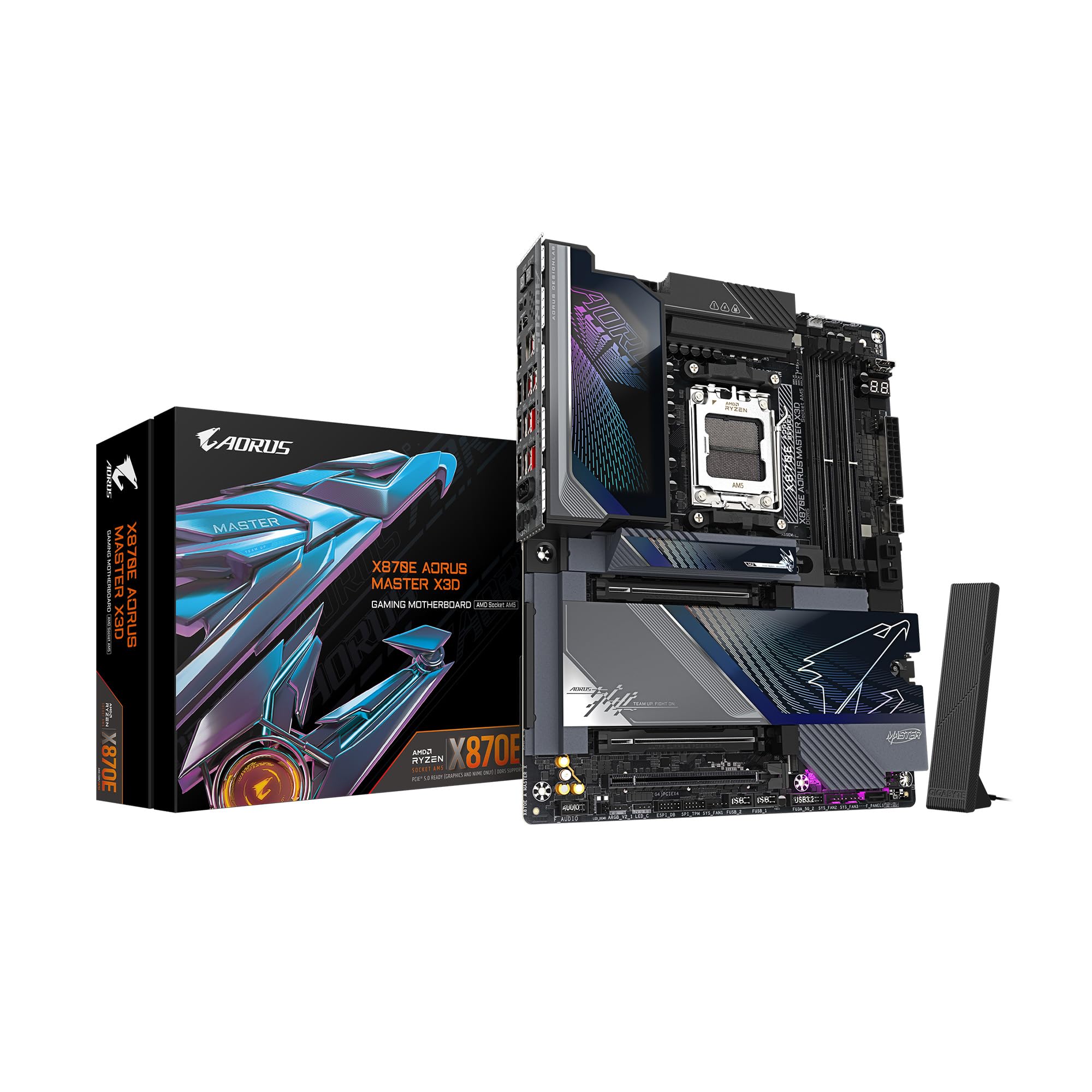
The GIGABYTE X870E AORUS Master X3D is aimed at builders pairing an X3D processor with a mountain of storage. You get dual PCIe 5.0 x16 slots and five M.2 bays, but with limited user feedback, it’s wise to be a little cautious.
Pros
- Two PCIe Gen 5 x16 slots with reinforced UD armor, which is pretty rare for this tier
- Five M.2 slots (two Gen5, three Gen4) with chunky thermal armor
- Dual USB4 Type-C with DisplayPort Alt mode and 65W front USB-C charging
- 5-year manufacturer warranty—the longest here
Cons
- Almost no user reviews yet, so long-term reliability is a bit of a mystery
- A few early owners mention PCIe slot hiccups and tricky RAID setup
- Only two SATA ports for old-school storage
This board was clearly designed with X3D processors in mind. The “Digital Twin” 18+2+2 power phase setup on an 8-layer PCB should deliver steady, clean power—something those X3D chips seem to love.
The dual PCIe 5.0 x16 slots are a standout; most rivals here only offer one Gen5 GPU slot. Connectivity looks stacked, too. Dual USB4 Type-C with DP-Alt, Sensor Panel Link via HDMI for in-case displays, Wi-Fi 7, and dual Ethernet are all here.
The 5-year warranty is reassuring. Still, the board’s newness means you might run into some teething issues—there are scattered reports of PCIe slot weirdness and RAID headaches, so patience (and BIOS updates) may be needed. If you’re the type who likes being first in line, the hardware is honestly pretty tempting.
One-line pick: Best for X3D builders who want dual Gen5 x16 slots and max storage, as long as you’re cool with early-adopter quirks.

- Supports AMD Ryzen 9000/8000/7000 Series Desktop Processors
- Lightning USB 40G: Featuring a built in USB 4 port offering lightning fast 40Gbps transmission speed
- Extended Heatsink Design: Extended PWM heatsink and enhanced circuit design ensures high-end processors to ran at full speed
MSI MAG X870 Tomahawk WiFi

The MSI MAG X870 Tomahawk WiFi is the workhorse here—a well-rated, reasonably priced ATX board with USB4, 5 Gb LAN, and VRM cooling that doesn’t break a sweat with Ryzen 9000 chips.
Pros
- Extended PWM heatsink design keeps VRM temps in check, even under load
- USB4 at 40 Gbps and 5 Gb LAN—features you usually see on pricier boards
- Audio Boost 5 with isolated circuitry for surprisingly clean in-game sound
Cons
- X870 (not X870E), so you get fewer native PCIe 5.0 lanes than E-series boards
- No dual LAN option
- DisplayPort and HDMI outputs are nice, but you’ll need a chip with an iGPU to use them
The Tomahawk line has built a reputation for reliable mid-range performance. This X870 version keeps that going. Its extended heatsink covers the VRM area generously, which matters if you’re running a Ryzen 7 9700X or Ryzen 9 9900X at stock or with moderate PBO tweaks.
You’re not getting the wild 110A stages of something like the ROG Strix, but for most gaming and streaming setups, the power delivery here is solid. The Tomahawk really nails the balance between features and price. USB4 at 40 Gbps, Wi-Fi 7, Bluetooth 5.4, 5 Gb LAN, and PCIe 5.0 M.2 Gen5 support—all present.
Four SATA ports give you more legacy storage wiggle room than some pricier boards. User ratings are strong and plentiful, so this board’s already proven itself out in the wild.
One-line pick: Best mid-range AM5 board for gamers and streamers who want modern connectivity without flagship sticker shock.
Buying Guide
Choosing the Right Chipset: X870 vs. X870E
Your main decision for AM5 boards is whether you actually need X870 or X870E. X870E brings more native PCIe 5.0 lanes—think extra Gen5 M.2 slots and sometimes a second Gen5 x16 GPU slot. If you’re running a bunch of high-speed NVMe drives or need every bit of bandwidth for content work, X870E is the way to go.
X870 covers the basics for gaming and general use at a friendlier price. Here’s a quick look:
| Feature | X870 | X870E |
|---|---|---|
| PCIe 5.0 M.2 Slots (typical) | 1 | 2-3 |
| PCIe 5.0 x16 GPU Slots | 1 | 1-2 |
| USB4 Support | Yes | Yes |
| Typical Price Range | Lower | Higher |
VRM and Power Delivery
If you’re running a Ryzen 7 or Ryzen 9, look for boards with at least 80A power stages. For real overclocking on something like the 9950X, 100A+ stages and a heat-pipe VRM heatsink actually matter.
Phase count is nice, but amperage per phase and thermal design tell you more about real-world performance.
Storage and M.2 Expansion
Count up the total M.2 slots and check how many are Gen5 versus Gen4. Gamers usually need two or three; content creators who deal with big files will want four or more.
It’s also worth checking SATA port count if you’re still hanging onto older SSDs or spinning drives.
Connectivity Checklist
Here’s what I’d keep an eye on, depending on what you actually need:
- USB4 (40 Gbps): If you’re working with external SSDs or love a good docking station, this one’s a must.
- Wi-Fi 7: Want to stay ahead of the curve with wireless? This’ll do it.
- **L


