
If you’re still rocking an AM4 system and wondering if you can squeeze more gaming performance out of your setup, the AMD Ryzen 7 5800X3D is absolutely worth a look. This chip is still the best AM4 CPU for gaming you can actually buy, and AMD’s re-release means you don’t have to risk sketchy used listings.
The 5800X3D was originally a limited run, selling out fast and then showing up at wild prices on the secondhand market. Now, with the “10th Edition” re-release, AM4 users finally have a real shot at top-tier gaming performance—no need to swap out your motherboard or DDR4 memory.

- The world's fastest gaming desktop processor and first gaming processor with 3D stacking technology
- 8 Cores and 16 processing threads with AMD 3D V-Cache technology
- 4.5 GHz Max Boost, 100 MB cache, DDR4-3200 support

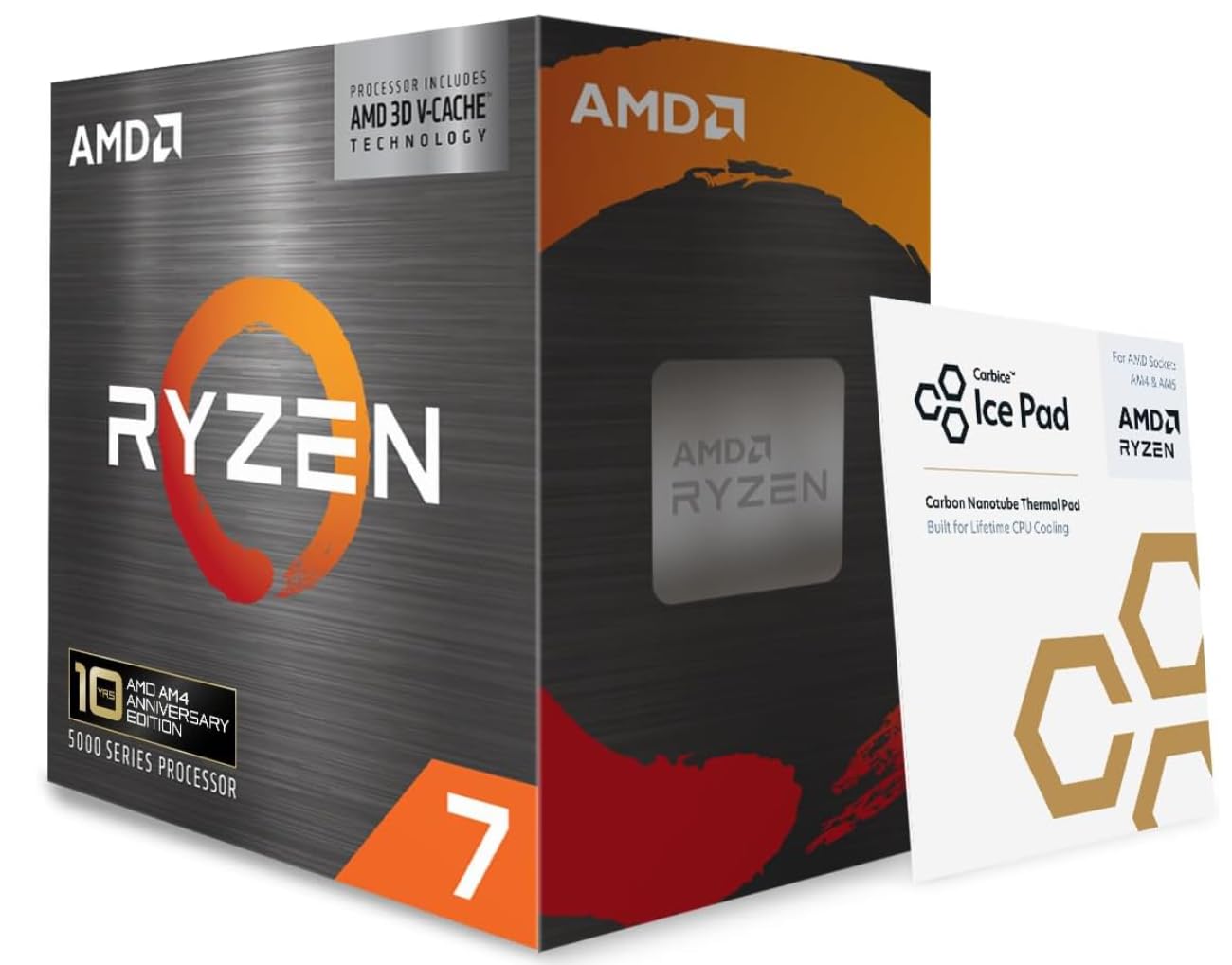
Sporting 8 cores, 16 threads, and a whopping 100 MB of total cache thanks to AMD’s 3D V-Cache stacking, this processor punches way above what most expect from the AM4 socket. It boosts up to 4.5 GHz, supports DDR4-3200 memory, and plays nice with B550 and X570 motherboards with PCIe 4.0.
The chip draws 105 watts and doesn’t come with a cooler. You’ll need to budget for a decent aftermarket solution, but in the grand scheme, that’s a small price for the gaming boost.
Bottom Line
If you want the best gaming CPU for your AM4 build, the Ryzen 7 5800X3D is the clear winner. It lets you pull serious performance from hardware you already own.
Click here to check the current price on the Ryzen 7 5800X3D and upgrade your gaming rig today!
Overview Of The AMD Ryzen 7 5800X3D
Built on AMD’s Zen 3 architecture, the 5800X3D stands out from every other AM4 processor with one major innovation: 3D V-Cache. This vertically stacked L3 cache adds 64 MB on top of the standard 32 MB, bringing total L3 to 96 MB and combined cache to 100 MB.
| Specification | Detail |
|---|---|
| Cores / Threads | 8 / 16 |
| Max Boost Clock | 4.5 GHz |
| Total Cache | 100 MB (L2 + L3) |
| TDP | 105W |
| Socket | AM4 |
| Memory Support | DDR4-3200 |
| PCIe Support | PCIe 4.0 (X570/B550) |
The re-release is the same chip as the original 2022 launch. You get a factory-fresh CPU with AMD’s 3-year warranty, which is a relief after all the sketchy used market stories.
Worth mentioning: this isn’t an overclocker’s dream. AMD locked the multiplier, so your only real tuning options are PBO (Precision Boost Overdrive) and memory tweaks.
Why It Still Excels In Gaming
Most games still lean hard on single-thread performance and cache speed, not just core counts. The 5800X3D goes right after those pain points.
That giant L3 cache keeps frequently accessed game data right next to the CPU cores, so you don’t get hammered by memory latency. It’s especially noticeable in open-world games, simulations, and shooters where frame pacing can make or break the experience.
Even up against newer AM5 chips without V-Cache, the 5800X3D holds its own in plenty of gaming workloads. It won’t always beat a Ryzen 7 7800X3D, but the gap is surprisingly close given the age difference.
For a chip from 2022 on an older platform, that’s kind of wild. If you’re mostly GPU-limited at 1440p or 4K, the CPU difference matters even less, making the 5800X3D a really sensible pick.
3D V-Cache Performance Advantage
The secret sauce here is the cache. AMD’s 3D V-Cache stacks an extra 64 MB of SRAM directly on top of the existing L3 cache die.
You end up with a 96 MB L3 cache, triple what the standard Ryzen 7 5800X has. That massive buffer keeps your CPU from waiting around for data, especially in games with huge world states or lots of streaming assets.
Titles like Cyberpunk 2077, Microsoft Flight Simulator, and Starfield see not just higher FPS but, maybe more importantly, way smoother 1% lows.
This isn’t just a tiny bump. Folks upgrading from non-X3D Ryzen 5000 chips often report 15-30% gains in tough scenarios, and if you’re coming from Ryzen 3000, the jump is even bigger. The cache advantage isn’t marketing fluff—it actually shows up in real-world play.
8 Cores And 16 Threads For Smooth Play
Eight cores with SMT gives you 16 threads. That’s plenty for any game out now, and leaves headroom for stuff like streaming, Discord, or a browser running in the background.
Modern engines are getting better at spreading work across threads, and having eight physical cores means you avoid the stutter and frame drops that plague quad-core users. The 1% lows are where the 5800X3D really shines, giving you a noticeably smoother ride even if the average FPS looks similar to lesser chips.
For pure productivity workloads—think video rendering or big compiles—this isn’t the best pick. The locked multiplier and slightly lower clocks mean it trades some multi-threaded grunt for gaming speed. But if gaming’s your top priority, that’s a trade-off most will happily make.
AM4 Upgrade Value And Compatibility
Sticking with AM4 saves you from the wallet-draining headache of a platform switch. Moving to AM5 means a new motherboard, DDR5 memory, and maybe even a new cooler bracket.
The 5800X3D drops into any AM4 motherboard based on the 500 series (B550, X570) and most 400 series boards if you update the BIOS. You keep your DDR4, your cooler, your storage—just swap the CPU and go.
That said, the re-release usually sits around $350, which, let’s be real, feels a bit steep for an AM4 chip in 2026. Whether it’s worth it comes down to your current setup:
- Upgrading from Ryzen 3000 or older? The performance leap is honestly hard to argue with.
- Coming from a Ryzen 5 5600X or similar? You’ll see better frame pacing and minimums, though the cost-per-frame isn’t as dramatic.
- Already on a Ryzen 7 5800X? Only makes sense if you really want smoother gaming and better lows.
Compared to building a whole new AM5 system, dropping a 5800X3D into your current rig is still the more budget-friendly route.
Cooling And Power Considerations
No cooler in the box, so plan for an aftermarket solution. At 105W TDP, the 5800X3D can run warm, and the 3D V-Cache layer adds some thermal complexity since heat has to travel through more silicon before hitting the heatspreader.
A solid tower cooler like the Noctua NH-D15 or a 240mm AIO liquid cooler will do the job just fine. Smaller or budget coolers might struggle during long gaming sessions, which could lead to thermal throttling and lost performance.
A few practical tips:
- Apply thermal paste carefully; the V-Cache die isn’t perfectly centered, so get good coverage.
- Some units ship with a thermal pad instead of pre-applied paste. Double check yours.
- Decent case airflow matters. Two intake fans and one exhaust is honestly the bare minimum.
Running in the 70-85°C range under gaming loads is normal and within spec. Don’t freak out—Zen 3 is built to handle higher temps than older AMD chips.
Pros And Cons
Pros
- Best gaming performance you’ll get on AM4, hands down
- 96 MB L3 cache actually delivers smoother frame pacing
- Drop-in upgrade for B550/X570 builds—no other parts needed
- 8 cores and 16 threads handle modern games and multitasking with ease
- Factory-new re-release means no used market gamble and you get AMD’s 3-year warranty
- PCIe 4.0 support keeps storage and GPU bandwidth up to date
Cons
- Price feels high for an AM4 chip in 2026
- No cooler included, so factor that into your budget
- Multiplier is locked, so overclocking is basically just PBO
- Multi-threaded productivity is a bit behind the standard 5800X
- AM4 is at the end of the road—no future CPU upgrades
- Runs hotter due to stacked cache, so you need proper cooling
Customer Reviews
Buyers are pretty much unanimous about the gaming performance jump. Plenty of folks upgrading from Ryzen 5 3600 or Ryzen 7 3700X report massive FPS gains, with one even seeing a 60+ FPS boost across their library.
Reviewers love the elimination of stutter and lag in demanding games, which totally matches up with the V-Cache advantage in 1% lows.
The price is the sticking point for most. Lots of people feel it’s a bit much for an older platform, but admit it’s still cheaper than going AM5 with new RAM and a board.
International buyers seem just as happy, with several saying the chip met or exceeded their expectations after ditching older Ryzen parts. One reviewer paired it with an RX 9070 XT and 64 GB of DDR4, reporting great results with a newer GPU.
The vibe is clear: the gaming boost is real, price is the only real gripe, and for AM4 diehards, this is the final boss of upgrades.
Frequently Asked Questions
Is the Ryzen 7 5800X3D still a good CPU for gaming in 2026?
Yes, it remains one of the strongest gaming processors available thanks to its 96 MB L3 cache. Most games are still more sensitive to cache size and single-thread performance than raw core counts, so the 5800X3D continues to deliver excellent frame rates and smooth 1% lows in current titles.
How does the Ryzen 7 5800X3D compare to the Ryzen 7 7800X3D in real-world performance?
The 7800X3D on AM5 usually edges out the 5800X3D in gaming—sometimes by 5-15%, but it really depends on the game and settings. Once you hit 1440p or 4K, though, the difference shrinks since the GPU tends to be the limiting factor.
The 5800X3D still holds its own, especially when you consider the cost of switching platforms. Honestly, for a lot of folks, the performance bump just doesn’t justify the hassle or expense.
Is the Ryzen 7 5800X3D compatible with AM4 motherboards, and which BIOS versions are required?
Yep, it works on B550 and X570 boards as long as you’ve got a BIOS that supports Zen 3. Most B450 and X470 boards can run it too, but you’ll want to double-check your motherboard’s support page for BIOS updates—look for AGESA 1.2.0.7 or newer.
Why is the Ryzen 7 5800X3D often priced higher than other AM4 Ryzen processors?
That 3D V-Cache tech isn’t cheap to make, so the manufacturing costs are up there. AMD also positions it as the ultimate AM4 gaming chip, and with production being kind of limited, they’ve kept prices on the higher side.
A lot of people want to avoid jumping to AM5, which keeps demand (and prices) pretty stubborn. Not exactly a bargain bin part, but that’s the tradeoff.
What cooling solution is recommended for the Ryzen 7 5800X3D, and what are typical temperatures?
You’ll want a solid cooler—a mid-to-high-end air tower like the Noctua NH-D15 or be quiet! Dark Rock Pro 4, or maybe a 240mm AIO if you’re into liquid cooling. The 105W TDP isn’t crazy, but it’s not nothing either.
During gaming, expect temps in the 70-85°C range. That’s pretty normal for Zen 3. If you cheap out on cooling, you might see some thermal throttling, so it’s worth spending a bit more here.
Is the Ryzen 7 5800X3D discontinued, and what are the best alternatives if it is?
AMD actually brought back the 5800X3D as a “10th Edition” in 2025. So, you can find factory-new units right now.
If those disappear again, what then? The Ryzen 7 7800X3D is the clear upgrade, but keep in mind it needs an AM5 motherboard and DDR5 RAM.
Another option is grabbing a used 5800X3D from someone trustworthy. Just keep your eyes peeled for remarked or counterfeit units floating around the used market.


