
Looking for a lightweight laptop that actually feels portable but doesn’t skimp on performance? The ASUS Zenbook A14 runs on Qualcomm’s 8-core Snapdragon X Plus processor, paired with 16GB DDR5 RAM and a 512GB SSD.
It comes in at just 2.4 pounds and only 0.63 inches thick, so it’s pretty easy to toss in a bag and forget you’re carrying it.
The 14-inch WUXGA OLED touchscreen is a highlight, pumping out 600 nits of HDR brightness and covering the full DCI-P3 color gamut. VESA certification for HDR True Black 600 means you get those deep blacks and punchy colors you’d expect from a good OLED.
With Windows 11 Home and Copilot+ AI features on board, ASUS is aiming this model at creators and business folks who want a blend of power and battery life. Not a bad pitch, honestly.

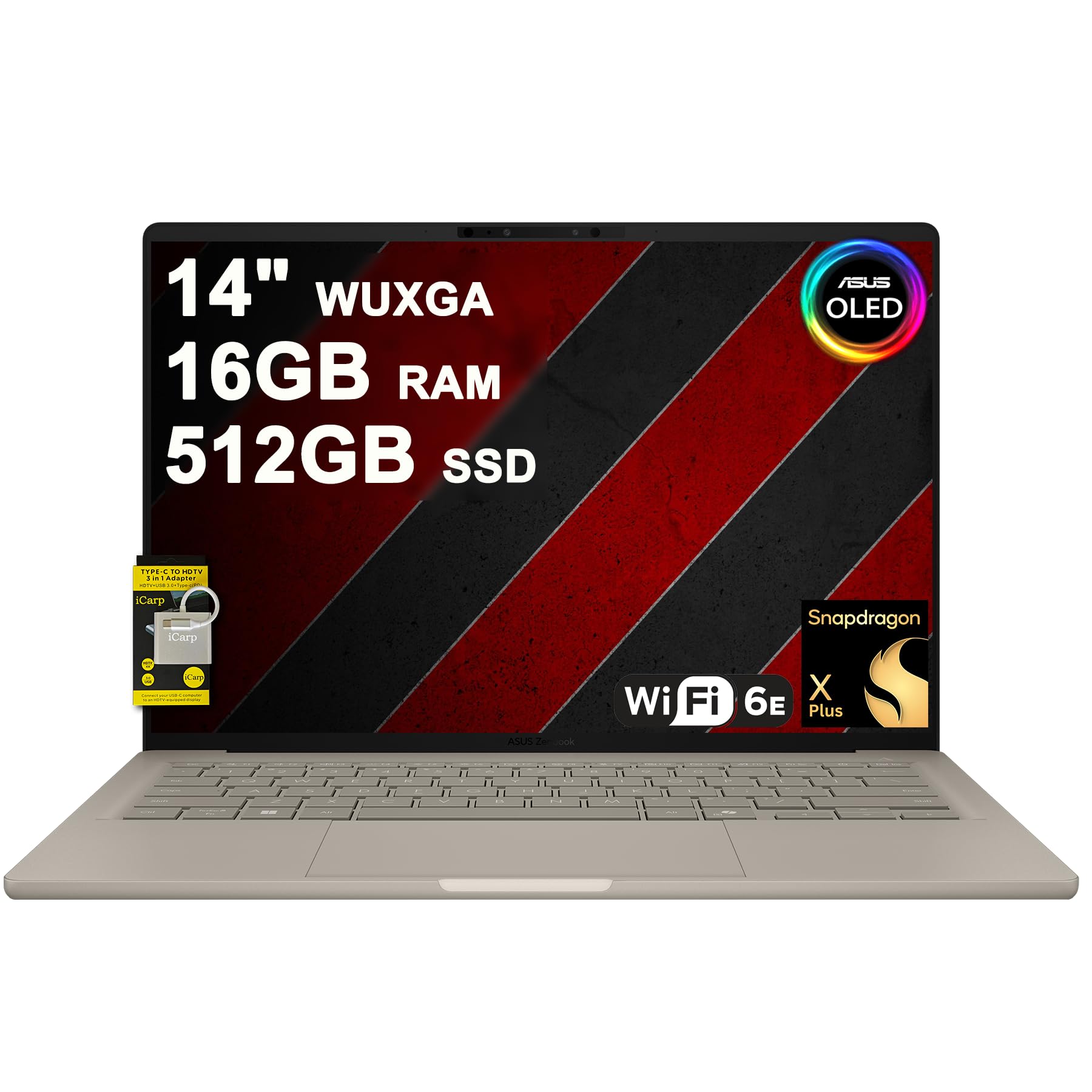
- 16GB RAM | 512GB SSD
- Equipped With The Most Powerful and Fast Qualcomm 8-core Snapdragon X Plus X1P 42 100 Processor
- 14" WUXGA (1920x1200) OLED (600nits HDR Peak Brightness, VESA CERTIFIED Display HDR True Black 600, 100% DCI-P3, Glossy), Integrated Qualcomm Adreno GPU
Buyers seem to like the sturdy aluminum build and excellent portability. Sound quality and battery performance get a thumbs up from folks who appreciate a quiet laptop.
The backlit keyboard and FHD IR camera are practical touches, especially if you’re bouncing between meetings or working late.
There are a few complaints, though. Some users have run into annoying touchpad problems that didn’t go away even after a bunch of troubleshooting.
One buyer mentioned battery life coming in at just five hours—which isn’t exactly impressive if you’re expecting all-day juice.
You get two USB-C 4.0 ports, one USB-A 3.2, and an HDMI 2.1 TMDS port for connectivity. Wi-Fi 6E support keeps things up to date on the wireless front, and the 70Wh battery is supposed to get you through the day.
The Qualcomm Adreno GPU covers integrated graphics, so it’ll handle everyday stuff and maybe some light creative work.
Click here to check current pricing and purchase the ASUS Zenbook A14 on Amazon.
Overview: ASUS Zenbook A14 Laptop
This ultraportable brings together Qualcomm’s Snapdragon X Plus processor with a premium OLED display in a genuinely lightweight chassis.
The 14-inch touchscreen manages 600 nits of HDR brightness and 100% DCI-P3 coverage, so it’s a solid pick for creators who need color accuracy.
Weighing just 2.4 pounds and measuring 0.63 inches thick, it’s built for portability but doesn’t ditch connectivity. There are two Thunderbolt 4 ports, one USB-A 3.2, and HDMI 2.1 output.
The 70Wh battery is supposed to offer reasonable endurance, though some folks say it doesn’t last as long as they hoped.
Key Hardware:
- Qualcomm 8-core Snapdragon X Plus processor
- 16GB DDR5 RAM
- 512GB SSD storage
- Integrated Qualcomm Adreno GPU
The aluminum build feels premium, but it does add a smidge more weight than you might expect for a laptop this size.
Feedback points to the backlit keyboard and overall build quality as strong suits. A few users, though, have had to wrestle with touchpad issues.
Powerful Qualcomm Snapdragon Performance
The Zenbook A14 runs on an 8-core Snapdragon X Plus, which is a bit of a curveball compared to the usual Intel or AMD fare. This chip brings up to 45 TOPS of AI processing, helping out with Windows 11’s Copilot+ and on-device AI stuff.
For everyday tasks—web browsing, docs, video calls—it’s totally fine. The integrated Adreno GPU is good enough for light creative work, but don’t expect miracles if you’re thinking about gaming or 3D rendering.
One thing to keep in mind: Snapdragon chips can still run into app compatibility quirks, since some Windows software is built for x86. At least the 16GB of DDR5 RAM helps keep multitasking smooth, assuming your apps play nice.
Stunning 14″ WUXGA OLED Touchscreen
The display is a real standout here. The OLED panel brings those inky blacks and vivid colors with 100% DCI-P3 coverage, so it’s a treat for media and creative work.
You get 600 nits in HDR mode and VESA Display HDR True Black 600 certification, so the screen stays visible even in bright rooms. The 1920×1200 resolution gives you a bit more vertical space than standard 1080p.
Touch input is a nice bonus for navigation and creative tasks. The glossy finish, though, can get a little reflective if you’re sitting near a window. Maybe not a dealbreaker, but worth knowing.
Impressive Memory and Storage
With 16GB of DDR5 RAM, there’s plenty of multitasking headroom for most daily tasks. DDR5 means faster speeds than the older DDR4 stuff, which helps for productivity work and light creative jobs.
The 512GB SSD should be enough for most folks, though if you’re editing giant video projects or storing a huge photo library, you might hit the limit. At least it’s quick—boot times and file access are snappy compared to old-school hard drives.
Memory Type: DDR5 RAM
Storage Type: SSD (Solid State Drive)
Storage is about middle-of-the-road for this price range. If you need more, external drives or cloud storage can fill in the gaps.
Connectivity and Ports
Port selection is on the modest side, so you might need to pick up a few adapters depending on your setup.
There’s just one USB 3.0 port, which can be limiting if you’re plugging in a bunch of peripherals or drives.
If you’re the type who needs to connect a pile of accessories at once, you’ll probably want a hub or docking station.
The port situation is kind of the price you pay for a super-thin, light design. If you’re always hooking up multiple monitors or USB gear, plan on grabbing some expansion accessories.
Advanced Features for Productivity
The Snapdragon X Plus can hit up to 45 TOPS of AI performance, letting the Zenbook A14 handle Copilot+ AI tasks right on the device. That means less waiting around for cloud processing.
Connectivity-wise, you get two USB-C 4.0 ports and HDMI 2.1 TMDS output, so hooking up external displays or transferring files is fast. Only one USB-A port, though, so if you’ve got older peripherals, you might need an adapter.
Key productivity elements:
- FHD IR camera for Windows Hello facial login
- Wi-Fi 6E for fast wireless on supported networks
- Backlit keyboard for working in dim spaces
The 16GB DDR5 RAM setup is fine for business apps and multitasking. For heavier creative workloads, it could feel tight. The 512GB SSD is enough for docs and most apps, but if you’re working with big media files, it’ll fill up fast.
Travel-Friendly Design
At 12.23 x 8.42 x 0.63 inches, this thing is pretty compact—great for tossing in a backpack or messenger bag. The 2.4-pound weight is decent for a 14-incher, though it’s not quite the lightest out there.
That slim profile makes it easy to slip into most laptop sleeves. The mix of ports (two USB-C 4.0, one USB-A 3.2, HDMI 2.1) means you might not need to haul around a ton of dongles.
One thing: the glossy OLED screen can be a pain in bright sunlight or near big windows. Battery life is portable enough, but the exact numbers are a little fuzzy in the official specs.
Pros and Cons
The Zenbook A14 packs a lot into a portable ARM-based Windows laptop, but it’s not all roses—there are a few trade-offs you’ll want to weigh.
Pros
The 14-inch OLED display is a real draw, with 600-nit HDR peak brightness and full DCI-P3 color, so it’s great for color work or just binge-watching. VESA HDR True Black 600 means you get legit contrast for creative stuff and movies.
Portability gets high marks from users. It’s slim and light, so carrying it around all day isn’t a chore. The aluminum shell adds some heft, but most people think it’s a fair trade for the durability.
Snapdragon X Plus isn’t a powerhouse, but it’s plenty for office work and general productivity. Users say it runs smoothly for daily business tasks.
Build quality feels solid, and the backlit keyboard plus FHD IR camera are genuinely useful if you’re working in different settings.
Connectivity covers most needs: USB-C 4.0, USB-A 3.2, HDMI 2.1, and Wi-Fi 6E for fast networking.
Cons
Battery life is a sticking point—one user only got 5 hours. That’s not ideal if you’re hoping to leave your charger at home.
Touchpad issues crop up in some reviews, with at least one buyer saying it just wouldn’t work, no matter what they tried. That’s a bit concerning.
ARM compatibility can be a pain if your must-have apps aren’t optimized for Snapdragon. Not every program will run natively, and emulation can slow things down.
The aluminum chassis, while sturdy, ends up making it a bit heavier than you might guess from the photos.
Customer Reviews
Buyers’ feedback is a mixed bag. The Zenbook A14 gets a lot of love for being slim and super portable—people mention it’s easy to carry and looks sharp.
Build quality gets called out as a plus, even if the aluminum adds some weight. Performance is solid for office work and everyday stuff, with good battery life and quiet fans in most cases.
The screen, keyboard, and general specs get nods from several users. But that touchpad issue? At least one customer couldn’t get it working, despite trying all the usual fixes. Seems like a known issue if you poke around online.
Most buyers say it’s a good fit for business and pro use—when it works as expected.
Frequently Asked Questions
What are the performance benchmarks for the ASUS Zenbook A14 model?
The Zenbook A14 runs on a Qualcomm 8-core Snapdragon X Plus X1P 42 100 processor. Its base speed is 1 GHz, which isn’t mind-blowing, but it does deliver up to 45 TOPS of AI performance.
That’s enough muscle for daily tasks and some AI-enhanced features, especially with Windows 11’s Copilot+ integration. You get 16GB of DDR5 RAM, which feels right for multitasking and moderate workloads.
The 512GB SSD is pretty standard these days, offering snappy read and write speeds over old-school hard drives. For graphics, it relies on the integrated Qualcomm Adreno GPU.
This combo is fine for business apps, web browsing, and streaming media. The processor’s ARM architecture is a bit different from the usual x86 chips, so if you rely on older or niche software, compatibility could be a concern.
How does the battery life of the Zenbook A14 compare to its competitors?
With a 70Wh battery, the Zenbook A14 packs a decent punch for a 14-inch laptop. ARM-based chips like the Snapdragon X Plus are known for sipping power rather than gulping it.
Still, user experiences with battery life are all over the place. Some folks are happy using it for office work all day, but at least one person only squeezed out about 5 hours.
Usage patterns, screen brightness, and app choice all play a part. That 600-nit OLED display is gorgeous, but cranking up the brightness will definitely drain the battery faster.
If you’re hoping to stretch battery life, you’ll probably want to dial down the display settings a bit.
Are there any common issues reported by users of the ASUS Zenbook A14?
Touchpad problems seem to pop up more than you’d expect. At least one reviewer had a completely non-functional touchpad and found plenty of similar stories online.
Despite trying every fix they could find, the issue stuck around. Battery life complaints have also surfaced, with someone disappointed by only getting 5 hours out of a full charge.
That’s not exactly what you’d hope for from a 70Wh battery paired with an efficient ARM chip. Some comments mention the laptop feels heavier than expected, even though it’s just 2.4 pounds.
The aluminum build gives it a more solid, weighty feel. One thing to flag: ARM-based Windows laptops can run into software compatibility headaches, especially with older or specialized apps built for x86 processors.
What is the price range for the ASUS Zenbook A14 and how does it compare to similar laptops?
There’s no specific price listed in the available product info. But its sales rank—#26,908 in Computers & Accessories, and #3,840 in Traditional Laptop Computers—suggests it’s not exactly flying off the shelves, but it’s not obscure either.
It’s competing in the premium ultrabook space, thanks to the OLED display, aluminum chassis, and ARM processor. Comparable models usually come from Dell’s XPS line, Lenovo’s ThinkPads, or HP’s EliteBooks.
The 16GB RAM and 512GB storage setup puts it in the mid-tier bracket. If you’re comparing with Intel or AMD laptops at a similar price, you might see differences in performance, especially around software compatibility and gaming capabilities.
How does the ASUS Zenbook A14 handle gaming and graphic-intensive tasks?
The Zenbook A14’s integrated Qualcomm Adreno GPU isn’t built for hardcore gaming or heavy graphics work. It’ll get you through basic visuals, video playback, and some light photo editing.
Gaming? That’s a stretch. Modern AAA titles and demanding creative apps probably won’t run well, if at all.
Older games and casual titles might work, but performance is going to depend on what you’re running and whether it even plays nice with ARM architecture. For professional graphics, you’re limited to basic photo editing and video calls.
Trying to do 3D rendering, edit 4K video, or run CAD software would likely push it past its limits. On the bright side, the 14-inch OLED display with 100% DCI-P3 color gamut looks fantastic for viewing content.
It’s great for reviewing visuals, but don’t expect to create complex projects on this machine.
What upgrades and customization options are available for the Zenbook A14?
The RAM situation’s pretty much set in stone—like most modern ultrabooks, you’re stuck with what you get. That 16GB of DDR5 memory is almost certainly soldered right onto the motherboard, so swapping it out later just isn’t on the table.
When it comes to storage, things aren’t much more flexible. Some folks might hope for an SSD upgrade path, but the Zenbook A14’s slim build doesn’t really make that easy. It’s probably best to think carefully about whether 512GB will carry you for the long haul.
On the bright side, external expansion isn’t totally off-limits. You’ve got two Thunderbolt 4 ports, a USB-A 3.2, and an HDMI 2.1—plenty of ways to hook up drives, monitors, or whatever else you need.
There’s also a bundled USB-C hub, which is a nice touch. With that, you can branch out even more—docking stations, maybe an external GPU (though, honestly, ARM processors aren’t exactly known for making the most of those), or maybe just a couple of extra screens if you’re into that.


