
Network Attached Storage (NAS) hard drives are built for sharing and storing files across your home or office network. Unlike regular desktop drives, NAS drives are made to run around the clock, juggle lots of read/write requests, and keep your data safe even when they’re working nonstop. If you’re setting up a central spot for photos, backups, or streaming media, they’re basically a must.
When picking a NAS hard drive, think about reliability, lifespan, speed, and whether it’ll play nice with your NAS box. Drives labeled “NAS” usually have vibration protection, smarter error controls, and firmware tuned for multi-drive setups. Don’t forget about capacity either—leave some wiggle room for future needs, especially if you’re planning to use RAID.
The team dug deep into specs and real-world use to find NAS drives that actually live up to the hype, balancing durability, speed, and price for a setup you won’t have to babysit.
Best NAS Hard Drives
Here’s a look at the top NAS hard drives for dependable data storage and nonstop operation. These picks are tailored for network-attached storage, and they hold up well for both home and office setups.
Western Digital 6TB WD Red NAS Drive

If you’re running a home or small office NAS, the WD Red 6TB is about as reliable as they come, especially if you care more about steady performance than raw speed.
Pros
- Runs quietly with little vibration
- Reliable for continuous operation in NAS bays
- Seamless setup in most popular NAS units
Cons
- Not the fastest for large file transfers
- May cost more per TB than basic desktop drives
- Occasional firmware updates required for best stability
Getting the WD Red running in a multi-bay NAS is pretty painless—no weird compatibility issues. It’s impressively quiet, even if you’re sitting right next to it, which is nice if your NAS lives in a shared or open space. Reliability has been solid during nonstop operation, and overheating just hasn’t been a problem, even after weeks of use.
For everyday backups and file storage, performance is steady, though if you’re moving huge video files, you’ll notice it’s not the quickest out there. Still, it handles several people streaming or grabbing files at once without breaking a sweat. If you want to get into the weeds, there’s a review with more hands-on impressions.
Maintenance is pretty minimal, but it’s smart to check for NASware firmware updates now and then. All in all, the WD Red 6TB is a dependable choice for anyone who wants quiet, stable storage in a smaller network setup.
- Built for small office and home office NAS
- Designed for 24/7 operation(9)
- High reliability with up to 180TB/year workload rating(6)
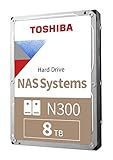
Toshiba N300 8TB NAS Hard Drive

If you’re after a drive that balances reliability and speed for your home or small office NAS, this one is definitely worth considering.
Pros
- Handles 24/7 operation for continuous use
- Effective at managing heavy workloads
- Straightforward installation process
Cons
- Sometimes emits moderate noise during use
- Warranty coverage can be inconsistent
- Not the quietest option compared to some competitors
Most folks find the Toshiba N300 8TB pretty dependable once it’s in their NAS. It’s built to run around the clock, which really matters if your NAS is always on and gets plenty of action from multiple users. Installation isn’t tricky, so you don’t need to be a tech wizard to get it going.
Day-to-day, it keeps up with file sharing, media streaming, and backups just fine. If you’re storing a big media library or using your NAS as a personal cloud, it deals with larger files and ongoing transfers without much fuss. There’s a review that dives deeper, especially for setups with several drives.
On the flip side, you’ll probably notice some noise, especially if you have a few running nearby. Warranty support can be a bit of a headache, too—some units don’t get full coverage, especially OEM ones. It’s not the quietest drive, but if you want a mix of capacity and resilience without breaking the bank, it’s a solid pick.

- Available in capacities ranging from 2 to 22TB(1) | (1) 1GB = 1 billion bytes and 1TB = 1 trillion bytes. Actual user capacity may be less depending on operating environment.
- For RAID-optimized NAS systems with unlimited number of bays
- Rated for 550TB/yr workload rate(2) | (2) Annualized Workload Rate = TB transferred x (8760 / recorded power-on hours). The maximum rated workload is specified for operating at typical temperature of 40C. Workload Rate will vary depending on your hardware and software components and configurations.
WD Red Pro 14TB NAS Drive

Built for 24/7 use and ready for heavy business workloads, this NAS drive delivers on both capacity and reliability.
Pros
- Handles demanding, continuous workloads well
- Quick file access and backups in multi-user environments
- Easy installation in standard NAS enclosures
Cons
- Higher price than standard drives
- Noticeable motor noise during heavy operation
- Occasional reports of confusing packaging
WD’s Red Pro 14TB is a go-to for anyone who needs storage that won’t flinch under daily, intensive use. Setup in a multi-bay NAS is a breeze, and it just works—no drama. File transfers are fast and consistent, which is a relief if you’re moving lots of data between users or machines.
It handles streaming, regular backups, and big data archives without lag. Clearly, it’s aimed at businesses or power users who need to move loads of data, all day, every day. The 14TB capacity is generous, so running out of space isn’t likely anytime soon. For a real-world take, check the hands-on review.
Negatives? Mostly noise—especially if you’re running backups late at night—and it’s pricier than basic consumer drives. Still, for reliability and uptime, it’s a solid investment if you can’t afford your NAS going down. The WD Red Pro is a staple for those who need dependable, high-capacity storage.

- High Performance: All-CMR (conventional magnetic recording) portfolio enables consistent, industry-leading 24×7 performance allowing users to access data anytime, anywhere
- Class-Leading Dependability: Up to 550TB/year workload rating, 2.5M hours MTBF, and 5-year limited warranty for unparalleled total cost of ownership (TCO)
- Peace of Mind with Data Recovery: Complimentary 3 year Rescue Data Recovery Services for a hassle-free, zero-cost data recovery experience
Seagate IronWolf Pro 16TB NAS HDD

If you need a tough, reliable NAS drive for nonstop use, this one ticks all the boxes for performance and peace of mind.
Pros
- Runs cool and quiet even with heavy use
- Reliable drive health tools help spot issues early
- Built for demanding RAID NAS setups
Cons
- Noticeable vibration in tightly packed drive bays
- Costs more than entry-level options
- Some users report isolated drive failures
After dropping the Seagate IronWolf Pro 16TB into a multi-bay NAS, the jump in responsiveness compared to regular drives is clear. It powers through constant transfers and backup jobs without bogging down, which is great if your NAS is always busy. Heat and noise are well-controlled, even during heavy data moves.
One standout is IronWolf Health Management—it keeps tabs on the drive and gives you a heads-up if something’s off. That’s a relief for anyone storing critical data. Plus, the built-in data recovery services add some extra confidence, especially for business users.
Downsides? If your NAS chassis isn’t well-padded, you’ll feel some vibration. Price-wise, it’s definitely premium, but for those who need top-tier durability and uptime, it’s probably worth it. For a closer look at how it performs, there’s a detailed review. If you’re after consistent, heavy-duty performance for important projects or network setups, this drive’s a safe bet.

- SCALABLE: Run big data applications to meet hyperscale demands
- EFFICIENT: Get consistent performance with low latency and repeatable response times with enhanced caching
- HIGH CAPACITY: Support data analytics capabilities and other dense architectures for highest rack-space efficiency
Seagate Exos X20 20TB NAS Hard Drive

If you’re after a massive-capacity NAS drive that won’t flinch under pressure and you care about strong performance, the Exos X20 20TB is hard to ignore. It’s really built for those heavy-duty, demanding storage setups.
Pros
- Excellent for large-scale media or backup storage
- Reliable operation during heavy, continuous use
- Impressive warranty and peace of mind
Cons
- Audible noise during large data transfers
- Heavier power draw than smaller NAS drives
- Some units arrive with manufacturing defects
If you’re running a media server or juggling big data, the Exos X20 20TB feels like it was made for the job. The huge capacity really shines in environments where you just don’t want to worry about swapping drives every other month.
Setup is pretty painless, and once it’s up and running, it just keeps going—even after months of nonstop use. Sure, it gets a bit noisy when you’re moving a lot of data, but honestly, in a rack or server closet, it’s not a dealbreaker.
The five-year warranty is reassuring, and Seagate’s track record with endurance is solid. There are occasional lemons, but their support is generally responsive. For folks with serious storage demands, this drive delivers the kind of consistency you’d expect from something built for enterprise.
Buying Guide
Picking a NAS hard drive isn’t just about grabbing the biggest one you can find. Storage capacity matters, but it’s worth thinking about what you’ll actually need down the line—constantly swapping or upgrading drives gets old fast and isn’t cheap.
Reliability and warranty are big deals. Drives made for 24/7 use usually come with longer warranties and higher endurance ratings, which can really cut down the risk of losing your data.
Speed is another thing to keep in mind, especially if you’re moving big files or running backups. Higher RPM and larger cache sizes generally mean snappier performance.
Noise and power usage are worth considering, too—especially if your NAS is sitting in an office or at home. NAS-specific drives usually try to balance performance with reasonable noise and efficiency, but results vary.
Double-check that your drive will actually fit and work with your NAS enclosure. Some enclosures are picky about drive sizes or interfaces, so don’t skip the manual.
Here’s a quick look at features worth comparing:
| Feature | Details |
|---|---|
| Capacity | 2TB, 4TB, 8TB, or higher |
| Speed | 5400-7200 RPM, varying cache sizes |
| Endurance | Designed for 24/7 usage |
| Noise Output | Measured in decibels (dB) |
| Warranty | 2-5 years recommended |
| Interface | SATA most common for NAS drives |
Features like error recovery controls and vibration tolerance can make a real difference in multi-bay setups, so keep an eye out for those if you’re building something larger.
And of course, price matters. Entry-level drives are fine for lighter use, but if you’re pushing your NAS hard, those high-capacity, high-endurance models start making a lot more sense.
Frequently Asked Questions
There’s a lot that goes into picking the right NAS hard drive: reliability, compatibility, and what you actually plan to do with it. The big brands all have their own models that target performance and endurance for different setups.
What are the top-performing hard drives for NAS systems in 2024?
WD Red Plus, Seagate IronWolf, and Toshiba N300 are still the standouts for NAS in 2024. They’re built for 24/7 operation, have enhanced error recovery, and their firmware is tuned for handling big files without a fuss.
Models in the 8TB to 18TB range are especially popular for both homes and small businesses.
Which hard drive brands are recommended for Synology NAS devices?
WD Red, Seagate IronWolf, and Toshiba N300 are all safe bets for Synology NAS units—they’ve been tested and are known to handle NAS workloads well.
Synology also has their own HAT5300 series, which is certified and plays nicely with their hardware.
Are there any specialized NAS hard drives optimized for gaming?
Honestly, there aren’t any NAS drives made just for gaming. That said, high-performance models like Seagate IronWolf Pro or WD Red Pro can handle big game libraries or multiplayer setups with fast transfers.
Some folks use SSD caching alongside their NAS HDDs for a little speed boost in gaming scenarios.
How do SSDs compare to HDDs in NAS applications?
SSDs are way faster for reads and writes, so they’re great for workloads that need quick data access. But because of the price per gigabyte, most people use them as cache rather than main storage in a NAS.
For sheer capacity and long-term storage, HDDs still win out on value.
What is the expected lifespan of HDDs used in NAS setups?
Most NAS-rated HDDs are built to last three to five years running nonstop, but that really depends on factors like heat, vibration, and how hard you push them.
Some enterprise drives can go even longer if you treat them right, but it’s always a bit of a gamble over time.
What considerations should I take into account when selecting hard drives for my NAS?
Drive compatibility with your NAS model is essential. It’s also worth thinking about capacity, warranty length, rotational speed, workload rating (usually measured in TB per year), and how well the drive can handle vibration—especially if you’re stacking several drives together.
Honestly, picking drives with NAS-specific firmware and features tends to pay off in the long run, since they’re built for stable performance and keeping your data safe.


