The difference between professional creative work and amateur results often comes down to the tools in use. Generic computer peripherals force designers and artists to work against their equipment rather than with it, creating bottlenecks that slow production and limit artistic expression. Professional-grade peripherals including graphics tablets, color-calibrated monitors, and precision styluses eliminate these barriers by providing accurate color reproduction, natural drawing control, and ergonomic designs that enable faster work with better results.

Graphics tablets with pressure-sensitive styluses detect thousands of pressure levels and tilt angles, translating hand movements into precise digital strokes that mirror traditional media. Color-calibrated monitors ensure that colors appear accurately across different devices and output formats, preventing costly revisions and client dissatisfaction. These tools transform creative workflows by reducing technical friction and allowing professionals to focus on artistic decisions rather than fighting hardware limitations.
The investment in professional peripherals delivers measurable returns through reduced project completion times, improved output quality, and decreased physical strain during extended work sessions. Studios and freelancers who upgrade their peripheral setup report faster design iterations, more confident color decisions, and portfolios that stand out in competitive markets.
Key Takeaways
- Professional peripherals including graphics tablets and calibrated monitors provide precision control and color accuracy that generic tools cannot match
- Upgrading to specialized creative hardware reduces project completion time while improving output quality and creative expression capabilities
- The right combination of professional peripherals creates ergonomic workflows that maintain consistency and reduce physical strain during extended sessions
The Impact of Professional-Grade Peripherals on Creative Workflows
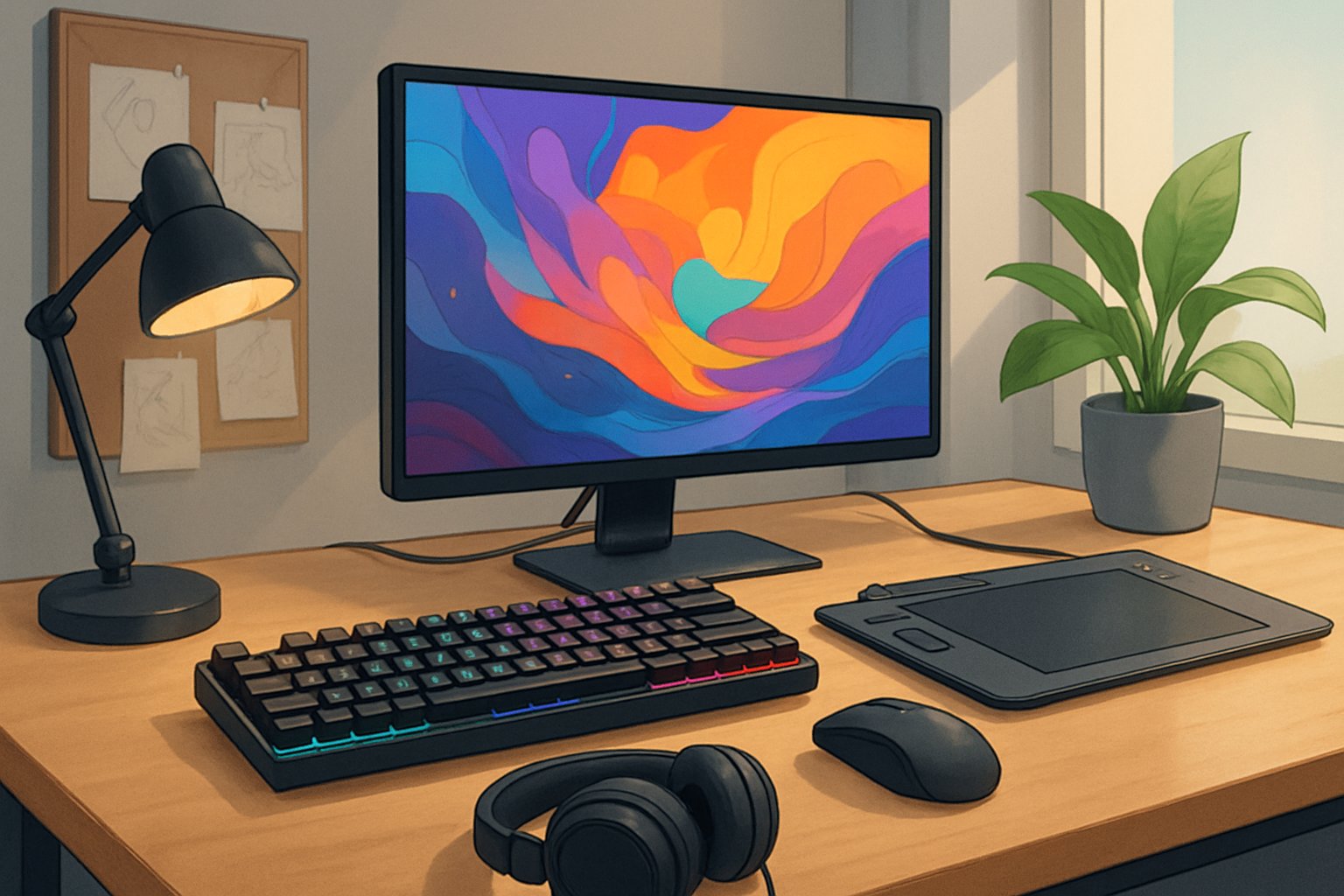
Professional peripherals fundamentally transform how creative professionals execute their work by eliminating technical barriers and reducing workflow friction. Consumer tools impose limitations that restrict artistic expression, while integrated professional ecosystems enable precise control and measurable productivity gains.
Why Consumer-Grade Tools Limit Artistic Vision
Consumer-grade peripherals create substantial workflow friction through limited precision, restricted feature sets, and inadequate ergonomic design. Standard mice and basic keyboards force creative professionals to translate artistic intent through multiple technical steps, interrupting creative flow and introducing errors that compromise quality.
Generic drawing tablets typically offer 2,048 pressure levels or fewer, compared to professional devices that detect over 8,000 discrete pressure levels with tilt detection and rotation sensing. This difference directly impacts artistic expression, as subtle pressure variations cannot be captured accurately.
Consumer monitors often cover only 60-70% of sRGB color space with poor calibration accuracy exceeding Delta E values of 5-10. Professional color-critical work requires Delta E measurements below 2 to ensure accurate color reproduction across different output media. Basic displays lack hardware calibration capabilities, making consistent color management impossible across production cycles.
The total cost of ownership for consumer tools includes hidden expenses from extended project timelines, client revisions due to quality issues, and physical strain from poor ergonomics. These factors compound over time, reducing competitive positioning and professional output quality.
The Professional Ecosystem: Hardware, Software, and Integration
Professional-grade peripherals deliver value through comprehensive workflow integration that connects specialized hardware with creative software and documentation systems. Drawing tablets integrate with creative applications through sophisticated driver software that provides customizable pressure curves, programmable express keys, and application-specific optimization profiles.
Return on investment calculations must account for measurable productivity improvements, with professional edit controllers reducing video completion time by 40-60% and color grading panels accelerating grading workflows by 50-70%. These efficiency gains translate directly to increased project capacity and revenue potential.
Cross-application compatibility ensures consistent functionality as projects move between concept development, production, and final output stages. Professional peripherals maintain stable performance across multiple creative software environments through automatic application detection and seamless profile switching.
Key Integration Components:
- Driver ecosystems with customizable mappings and gesture recognition
- Calibration systems maintaining accuracy through verification schedules
- Synchronization protocols ensuring <20ms latency for natural responsiveness
- Profile management enabling project-specific configurations
Professional peripherals transform workflow integration from technical obstacle to competitive advantage through systematic optimization and documented configuration management.
Why Upgrade: Key Benefits of Professional Creative Tools
Professional creative peripherals deliver measurable improvements in color accuracy, input precision, and workflow speed that directly impact the quality and efficiency of digital work. These tools transform how digital artists execute their artistic vision while reducing time-intensive tasks.
Unlocking Artistic Potential and Studio-Quality Output
Professional-grade peripherals provide the technical foundation for realizing complex creative concepts. Color-calibrated monitors display 99% to 100% of sRGB or Adobe RGB color spaces, ensuring that what artists see on screen matches final printed or digital output. This accuracy eliminates the guesswork and multiple revision cycles caused by consumer displays that typically cover only 60-75% of these color spaces.
Graphics tablets with 8,192 pressure sensitivity levels capture subtle variations in stroke weight and opacity that tablets with 2,048 levels cannot replicate. Digital artists gain control over fine details, from delicate shading gradients to precise line work. The difference becomes visible in finished pieces where tonal transitions appear smooth rather than banded.
High-precision styluses with tilt recognition and minimal parallax allow artists to work with the same natural hand movements they use with traditional media. This tactile feedback reduces the learning curve and enables techniques like angle-dependent brush strokes that add depth and texture to digital paintings.
Boosting Workflow Efficiency and Productivity
Professional peripherals reduce task completion time through responsive hardware and customizable controls. Graphics tablets with programmable express keys eliminate repetitive menu navigation, letting designers assign frequently used commands to single button presses. This optimization can reduce common tasks from 5-6 clicks to one action.
Performance metrics show that color-accurate monitors decrease revision cycles by 30-40% because designers identify color issues during creation rather than after client review. The time saved compounds across projects, particularly for those working with brand guidelines requiring specific color matching.
High-resolution displays (4K or 5K) provide more screen real estate for tool palettes, reference images, and working canvas simultaneously. Digital artists spend less time switching between windows and more time executing work. Tablets with wireless connectivity and battery-free styluses remove cable management friction, creating cleaner workspace setups that support extended creative sessions.
Portfolio Differentiation in a Competitive Market
Professional tools enable output quality that distinguishes portfolios in saturated creative markets. Work produced with accurate color representation and precise detail reproduction meets industry standards for commercial projects, editorial work, and client deliverables. This quality gap becomes apparent when comparing pieces side-by-side.
Clients and art directors recognize the technical proficiency demonstrated through clean line work, accurate color reproduction, and polished finishing details. These elements signal reliability and professional standards. Digital artists using consumer-grade equipment often miss subtle color shifts or detail loss until files reach production, creating credibility concerns.
The technical capabilities of professional peripherals also expand project possibilities. Designers can confidently accept work requiring specific color accuracy, fine detail rendering, or quick turnaround times that would be challenging with limited tools. This expanded capacity translates to broader client bases and higher project rates.
Graphics Tablets: Precision at the Core of Digital Art
Graphics tablets provide the tactile control and pressure sensitivity that transforms mouse-based design into natural, brush-like strokes. The technology divides into distinct categories based on whether artists draw directly on a screen or reference a separate monitor, with specifications like active area dimensions and pressure levels determining the device’s professional capabilities.
Understanding Types: Drawing Tablets, Pen Displays, and Tablets with Screen
Drawing tablets without screens, also called pen tablets, require artists to look at their monitor while drawing on a separate input surface. The Wacom Intuos Pro and Huion Inspiroy H1060P exemplify this category, offering affordability and desk space efficiency. These devices suit professionals comfortable with hand-eye coordination separation.
Pen displays integrate screens directly into the tablet surface, allowing direct drawing on the display. The Wacom Cintiq series and XP-Pen Artist13.3 Pro deliver this functionality, with the Huion Kamvas Pro 16 providing a mid-range alternative. Artists see their work beneath the stylus tip, mimicking traditional drawing experiences.
Budget models like the Huion H420X and Gaomon M10K serve entry-level users, while the Ugee M708 and Huion Inspiroy H640P bridge affordability with expanded features. The XPPen Deco 01 V3 offers wireless functionality in the screenless category, demonstrating how even affordable options now include premium connectivity.
Essential Features: Active Area, Resolution, and Connectivity Options
Active area determines the physical drawing space available on the tablet surface, measured in inches diagonally. Larger active areas like those on the Huion Inspiroy H1060P (10 x 6.25 inches) reduce hand cramping during extended sessions and allow broader arm movements for sweeping strokes.
Resolution and LPI (lines per inch) define how precisely the tablet tracks stylus position. Professional-grade devices deliver 5080 LPI or higher, ensuring every minute pen movement translates accurately to screen. Pressure sensitivity levels typically range from 4096 to 8192 levels, affecting line weight variation and opacity control.
Connectivity options now extend beyond traditional USB cables. USB-C connections provide power delivery and data transfer through a single cable, while Bluetooth wireless operation eliminates desk clutter. The Huion Kamvas Pro series offers both wired and wireless modes, letting artists switch based on workspace requirements.
Industry-Leading Devices and Brands for Professionals
Wacom maintains its position through driver stability and build quality, with the Wacom Cintiq line serving film studios and game development houses. The Wacom Intuos Pro remains the standard for screenless tablets in professional environments despite its premium pricing.
Huion challenges Wacom’s dominance through competitive pricing on pen displays. The Huion Kamvas Pro delivers color accuracy and pressure sensitivity comparable to devices costing twice its price. XP-Pen follows similar strategies with the XP-Pen Artist13.3 Pro, attracting freelancers seeking professional specifications without enterprise budgets.
Ugee and Gaomon focus on entry-level and intermediate markets. The Gaomon M10K provides 8192 pressure levels at budget-friendly prices, while Ugee’s M708 serves digital artists transitioning from mouse-based workflows.
Advanced Styluses: Achieving Natural Expression and Control
Professional-grade styluses transform digital artwork through pressure-sensitive technology and tilt recognition that mimics traditional media, while battery-free designs eliminate workflow interruptions and maintain consistent precision across extended creative sessions.
Pressure Sensitivity and Tilt Support Explained
Pressure sensitivity determines how a digital stylus responds to varying application force, with professional models offering between 4,096 and 8,192 pressure levels. This range allows creators to control line weight, opacity, and brush dynamics naturally, similar to traditional pencils or brushes on paper.
The Wacom Pro Pen 2 delivers 8,192 pressure levels with tilt recognition up to 60 degrees, enabling artists to shade and blend by adjusting pen angle. The Apple Pencil (2nd Generation) incorporates pixel-perfect precision with industry-leading low latency, detecting tilt for shading effects and double-tap functionality for tool switching.
Tilt support adds dimensional control by recognizing the stylus angle relative to the screen surface. When a creator angles the pen for shading, the tilt function adjusts stroke width and intensity automatically. This feature proves essential for illustration work, photo retouching, and concept design where varied mark-making techniques define artistic style.
Palm rejection technology accompanies these features, ensuring only the stylus tip registers on the screen while hands rest naturally during use.
Battery-Free and High-Precision Stylus Innovations
Battery-free stylus technology eliminates charging interruptions and maintains consistent weight balance throughout creative sessions. These pens utilize electromagnetic resonance (EMR) technology, drawing power directly from compatible tablet surfaces rather than internal batteries.
The battery-free pen approach offers several advantages:
- Consistent weight distribution without battery compartments
- Zero charging downtime during critical project deadlines
- Extended lifespan with fewer components prone to failure
- Reduced environmental impact from disposable batteries
Wacom’s EMR technology powers the Pro Pen 2, providing unlimited battery-free operation with sub-millimeter accuracy. The Samsung S Pen also employs battery-free design on Galaxy Tab devices, achieving 2.8-millisecond latency for immediate response.
Rechargeable models like the Apple Pencil and Surface Slim Pen 2 counter with wireless charging convenience. The Surface Slim Pen 2 reaches 15 hours of typical use per charge and introduces Zero Force Inking, which activates digital ink the moment the pen contacts the screen surface.
Top Stylus Options for Professional Creators
The Apple Pencil (2nd Generation) pairs exclusively with iPad Pro, iPad Air, and iPad Mini models, offering wireless charging via magnetic attachment. Its hover feature activates interface elements when the tip reaches within 12mm of the display, providing preview capabilities before mark commitment.
The Wacom Pro Pen 2 represents the standard for professional digital artists working with Wacom pen tablets and displays. Its 8,192 pressure levels and virtually lag-free performance support detailed illustration and photo editing workflows across applications like Photoshop, Illustrator, and Procreate.
The Microsoft Surface Slim Pen 2 serves Windows-based creators working with Surface devices. Its 4,096 pressure points and Palm Block technology enable precise control for architectural rendering, graphic design, and digital note-taking.
| Stylus | Pressure Levels | Battery Type | Key Feature |
|---|---|---|---|
| Wacom Pro Pen 2 | 8,192 | Battery-free | 60° tilt recognition |
| Apple Pencil (2nd Gen) | N/A | Rechargeable | Hover preview function |
| Samsung S Pen | 4,096 | Battery-free | IP68 water resistance |
| Surface Slim Pen 2 | 4,096 | Rechargeable | Zero Force Inking |
The Samsung Galaxy Tab S Pen includes with Galaxy Tab S9 series tablets, featuring Air Command shortcuts activated by hovering and pressing the barrel button. Its IP68 certification protects against water and dust exposure during field work or outdoor sketching sessions.
Color-Calibrated Monitors for Accurate Digital Creation
Professional displays delivering precise color reproduction separate amateur work from studio-grade output. Color gamut coverage determines the range of reproducible colors, while proper calibration ensures consistency across devices and media formats.
Fundamentals of Color Accuracy and Reproduction
Color accuracy measures how faithfully a monitor displays intended hues, measured in Delta E values. Professional displays achieve Delta E < 2, meaning the human eye cannot detect color differences between the displayed and actual colors. This precision matters when clients expect print materials to match digital proofs or when video content must maintain color consistency across multiple viewing platforms.
Display quality depends on panel technology, with IPS panels offering superior color reproduction and viewing angles compared to TN or VA alternatives. Professional monitors feature 10-bit color depth, displaying over one billion colors versus the 16.7 million available in 8-bit displays. This expanded depth creates smoother gradients and prevents banding in color grading workflows.
Hardware calibration stores color profiles in the monitor itself rather than relying on operating system software. This approach maintains color accuracy regardless of system changes or software updates. Built-in sensors automate the calibration process, eliminating manual adjustments and ensuring consistent display quality.
Color Gamut: sRGB, Adobe RGB, and DCI-P3
The sRGB color gamut serves as the standard for web content and consumer displays, covering approximately 35% of visible colors. Monitors claiming 100% sRGB coverage ensure web graphics appear as designers intend across different devices and browsers.
Adobe RGB expands beyond sRGB by 35%, capturing more saturated greens and cyans critical for print production. Photographers and print designers require 99% Adobe RGB coverage to preview how images translate to CMYK printing processes. This gamut prevents surprises when vibrant screen colors appear dull in final prints.
DCI-P3 targets video production and cinematic content, offering 25% more colors than sRGB with enhanced reds and greens. This color space dominates HDR workflows and streaming content creation. Modern displays supporting 98% DCI-P3 coverage handle both HDR and standard dynamic range content without compromising color reproduction.
Professional monitors often support multiple gamut modes, allowing creators to switch between sRGB, Adobe RGB, and DCI-P3 based on project requirements. This flexibility eliminates the need for multiple displays when working across different media formats.
Calibration Techniques for Consistent Results
Hardware calibration requires colorimeters or spectrophotometers that measure display output and generate correction profiles. Devices like the Datacolor Spyder or X-Rite i1Display analyze screen colors and adjust monitor settings to achieve target values. Calibration frequency depends on usage, with monthly adjustments maintaining accuracy for displays used 8+ hours daily.
Ambient light affects perceived colors, requiring calibration under consistent lighting conditions matching actual work environments. Professional workflows maintain 5000K–6500K color temperature settings, mimicking daylight conditions. Brightness levels between 80–120 cd/m² reduce eye strain while preserving shadow detail.
Calibration targets include:
- White point temperature (typically D65/6500K for digital work)
- Brightness/luminance levels appropriate for workspace lighting
- Gamma curves (2.2 for standard content, 2.4 for video production)
- Black point compensation for shadow detail preservation
Verification measurements confirm calibration accuracy post-adjustment. Delta E reports document color precision across the spectrum, identifying any problematic hues requiring additional correction. Regular validation ensures displays maintain accuracy between full calibration cycles, catching drift before it affects production work.
Workflow Integration and Ergonomics for Long-Term Success
Professional peripherals deliver maximum value when properly integrated with creative software and configured for comfortable extended use. Hardware-software compatibility, physical workspace optimization, and customizable controls directly impact both immediate productivity and long-term sustainability of creative work.
Seamless Hardware and Creative Software Compatibility
Professional peripherals require native driver support and optimized integration with major creative software to function effectively. Adobe Photoshop, Adobe Illustrator, Adobe Fresco, Clip Studio Paint, and Procreate each implement unique pressure curve algorithms and stylus tracking systems that must align with tablet hardware specifications.
Leading manufacturers develop application-specific profiles that automatically adjust pressure sensitivity, tilt response, and button assignments when switching between design software. These profiles eliminate manual reconfiguration when moving from illustration work in Clip Studio Paint to photo retouching in Adobe Photoshop.
Driver software quality determines whether advanced features like rotation sensing, barrel button customization, and palm rejection function consistently across different applications. Professional-grade peripherals provide regular driver updates that maintain compatibility as creative software evolves through version updates.
The software ecosystem matters particularly for newer hardware architectures like the M2 chip, where peripheral manufacturers must optimize drivers for ARM-based processing. Native support ensures minimal latency and maximum battery efficiency on modern creative workstations.
Optimizing Setup: Adjustable Stands, Parallax, and Ergonomic Design
Physical positioning of peripherals directly affects both precision and physical comfort during extended creative sessions. An adjustable stand allows positioning of pen displays at optimal angles that reduce neck strain while maintaining natural hand-eye coordination for drawing and design work.
Parallax—the visual gap between stylus tip and screen cursor—increases at steep viewing angles on pen displays. Professional devices minimize parallax through laminated screen construction and calibrated cursor offset systems. Proper stand adjustment reduces perceived parallax by maintaining perpendicular viewing angles.
Ergonomic design considerations extend beyond viewing angle to include desk height, monitor distance, and peripheral placement. Drawing tablets positioned too far from the body force extended reach that strains shoulders. Keyboards and mice placed within natural arm sweep reduce repetitive motion stress.
Workspace lighting affects both color perception and eye strain. Positioning monitors perpendicular to windows prevents glare while maintaining ambient illumination levels that reduce contrast fatigue during extended editing sessions.
Programmable Shortcut Keys and Express Controls
Customizable hot keys and express controls eliminate repetitive menu navigation that interrupts creative flow. Professional peripherals incorporate ExpressKeys, touch rings, and programmable shortcut keys that provide instant access to frequently used commands without leaving the drawing surface.
Touch rings enable rapid adjustment of brush size, canvas rotation, and zoom level through circular gesture controls. These rotary inputs prove particularly valuable in Adobe Photoshop and Procreate where continuous parameter adjustment occurs throughout the creative process.
Application-specific key assignments adapt peripheral controls to different software contexts. Brush shortcuts relevant in Clip Studio Paint differ from layer management commands needed in Adobe Illustrator. Quality driver software automatically switches key functions based on active application.
Programmable shortcut keys reduce reliance on keyboard combinations that require awkward hand positions. Mapping undo, layer switching, and tool selection to easily accessible buttons maintains focus on the canvas rather than hunting for keyboard shortcuts during critical creative moments.
Selecting the Right Combination for Your Creative Needs
Professional peripherals deliver measurable performance gains when matched to specific creative disciplines. Technical specifications, workflow requirements, and budget considerations determine which combination of graphics tablets, monitors, and styluses will enhance productivity without unnecessary expense.
Evaluating Performance and Technical Specifications
Graphics tablets vary significantly in active drawing area, pressure sensitivity levels, and latency response times. Entry-level tablets offer 2048 pressure levels with 10-15ms latency, while professional models provide 8192 levels and sub-5ms response times. The active drawing area should match or exceed the primary monitor’s aspect ratio to prevent distorted hand movements during digital drawing.
Color-calibrated monitors require specific technical capabilities for accurate work. A minimum of 99% sRGB coverage suits web-focused projects, while print and photography demand Adobe RGB or DCI-P3 coverage above 95%. Delta E values below 2 ensure color accuracy sufficient for professional color grading. Panel technology matters: IPS panels offer superior viewing angles, while OLED provides deeper blacks but risks burn-in with static UI elements.
Stylus specifications directly impact precision in detailed work. Tilt recognition up to 60 degrees enables natural shading techniques in digital painting. Battery-free styluses eliminate charging interruptions and maintain consistent weight distribution. Replaceable nibs with varying firmness levels allow customization for different creative processes.
Workflow Optimization for UI/UX, Digital Painting, and Photo Retouching
UI/UX design prioritizes screen real estate and precise cursor control over pressure sensitivity. A 27-inch monitor at 2560×1440 resolution provides adequate workspace for design layouts while maintaining sharp vector graphics. Small to medium graphics tablets (6×4 to 10×6 inches) offer sufficient precision without consuming desk space needed for keyboard shortcuts.
Digital painting demands maximum pressure sensitivity and a larger active drawing area. Tablets sized 13×9 inches or larger allow full arm movements for expressive brushwork. High refresh rate monitors (120Hz+) reduce visual lag between stylus input and on-screen feedback. Pen tilt and rotation recognition become essential for mimicking traditional media techniques.
Photo retouching requires superior color accuracy and localized adjustment precision. Hardware calibration support ensures consistent color reproduction across editing sessions. Medium-sized tablets provide adequate control for detailed masking and dodge-burn work without fatigue from excessive hand travel.
Maximizing Return on Investment
Professional-grade peripherals maintain functionality for 5-7 years with proper maintenance, compared to 2-3 years for consumer models. Graphics tablets with replaceable components (nibs, cables, pen batteries) extend usable lifespan and reduce long-term costs. Monitors with extended warranties and panel uniformity guarantees protect against premature failure.
Investing in a mid-tier graphics tablet ($200-400) paired with a quality monitor ($500-800) delivers better results than a single premium peripheral. This balanced approach addresses both input precision and visual feedback. Used professional equipment from reputable brands often outperforms new consumer-grade alternatives at similar price points.
Software compatibility affects peripheral value over time. Devices with active driver support across multiple operating systems maintain relevance as creative workflows evolve. Open-source driver alternatives provide backup options for discontinued products, preserving hardware investments beyond manufacturer support periods.