
Passwords alone no longer provide adequate protection against modern cyber threats. Multi-factor authentication adds critical security layers by requiring users to verify their identity through multiple methods, making accounts 99% less secure to unauthorized access. This approach combines something users know (like a password), something they have (such as a phone or security key), or something they are (biometric data) to confirm legitimate access attempts.
Organizations and individuals face increasing risks from data breaches, phishing attacks, and credential theft. Multi-factor authentication blocks these threats by ensuring that even if passwords are compromised, attackers cannot access protected accounts without additional verification factors. Two-step verification and biometric options have become standard security measures for email, banking, social media, and business applications.
The implementation process is straightforward and provides immediate security benefits. Users can enable multi-factor authentication through account security settings, selecting from options like authentication apps, SMS codes, hardware tokens, or fingerprint scanning. Taking this step today protects sensitive information, reduces identity theft risk, and establishes a foundation for comprehensive digital security.
Key Takeaways
- Multi-factor authentication prevents 99% of automated attacks by requiring multiple verification methods beyond passwords
- Organizations must implement MFA across all systems to protect against credential theft and unauthorized access
- Biometric authentication and hardware tokens offer the strongest security compared to SMS-based verification methods
Why Multi-Factor Authentication Is Essential
Passwords alone no longer provide adequate protection against modern cyber threats. Organizations and individuals face escalating risks from credential theft, data breaches, and sophisticated attack methods that exploit single-factor authentication vulnerabilities.
The Growing Threat Landscape
Cybercriminals maintain access to over 15 billion stolen credentials obtained from data breaches across various platforms. These compromised credentials circulate on dark web marketplaces, where attackers purchase or trade them to gain unauthorized access to accounts.
Credential stuffing attacks have become increasingly common. Attackers use automated tools to test stolen username and password combinations across multiple services, exploiting the tendency of users to reuse credentials.
Phishing schemes have evolved beyond simple email scams. Modern attacks use sophisticated social engineering techniques to trick users into revealing their login information through fake websites that closely mimic legitimate services.
The financial sector reports billions in losses annually from account takeover attacks. Healthcare organizations face similar threats, with patient records and medical data becoming prime targets for identity theft and fraud operations.
Limitations of Password-Only Security
Password-based security fails when credentials are compromised through data breaches, regardless of password strength. Users cannot prevent their information from being exposed when a service provider’s database is breached.
Human behavior undermines password security in predictable ways. Studies show that most people reuse passwords across multiple accounts, creating a domino effect where one breach compromises several services.
Password complexity requirements often backfire. Users who face strict password rules typically create variations of the same pattern or write passwords down, introducing new vulnerabilities.
Common password vulnerabilities include:
- Reuse across multiple accounts
- Predictable patterns and common phrases
- Storage in unsecured locations
- Sharing with others for convenience
- Insufficient length or complexity
Brute force attacks can crack weak passwords in seconds. Even stronger passwords remain vulnerable to keylogging malware, shoulder surfing, and man-in-the-middle attacks.
The Consequences of Ignoring Advanced Authentication
Organizations that fail to implement multi-factor authentication face significant financial exposure. The average cost of a data breach exceeds $4 million, with expenses including forensic investigations, legal fees, regulatory fines, and customer notification.
Reputational damage from security incidents often exceeds immediate financial losses. Customers lose confidence in organizations that experience breaches, leading to reduced revenue and market share.
Regulatory frameworks increasingly mandate strong authentication measures. GDPR, HIPAA, and PCI DSS all include requirements for appropriate security controls, with non-compliance resulting in substantial penalties.
Financial and operational impacts:
| Impact Category | Typical Consequences |
|---|---|
| Direct costs | Incident response, legal fees, fines |
| Customer impact | Account takeover, identity theft, fraud |
| Business continuity | Service disruptions, operational downtime |
| Reputation | Customer attrition, brand damage |
Identity theft victims spend an average of 200 hours resolving fraudulent activities. Personal financial losses can reach tens of thousands of dollars before detection and remediation.
Building User Trust Through Enhanced Security
Multi-factor authentication demonstrates organizational commitment to protecting user data and privacy. This visible security measure influences purchasing decisions and customer loyalty.
Transparency about security practices builds confidence. Organizations that clearly communicate their authentication requirements and explain the reasoning behind them foster stronger relationships with users.
Research from Microsoft indicates that multi-factor authentication blocks over 99.9% of account compromise attempts. This protection level significantly reduces the likelihood of unauthorized access even when passwords are compromised.
Users increasingly expect robust security measures from the services they use. A survey of online consumers found that 78% consider strong authentication options when choosing between competing services.
Implementing advanced authentication reduces customer support costs. Fewer account takeover incidents mean fewer support tickets, password reset requests, and fraud investigation cases.
The presence of multi-factor authentication options signals to cybercriminals that an account presents a harder target. Attackers typically move to easier targets rather than investing resources in bypassing additional security layers.
Understanding How Multi-Factor Authentication Works
Multi-factor authentication requires users to present multiple credentials from different categories before granting access to an account or system. This verification process combines independent authentication factors to create a security framework that prevents unauthorized entry even when one credential becomes compromised.
Defining Authentication Factors
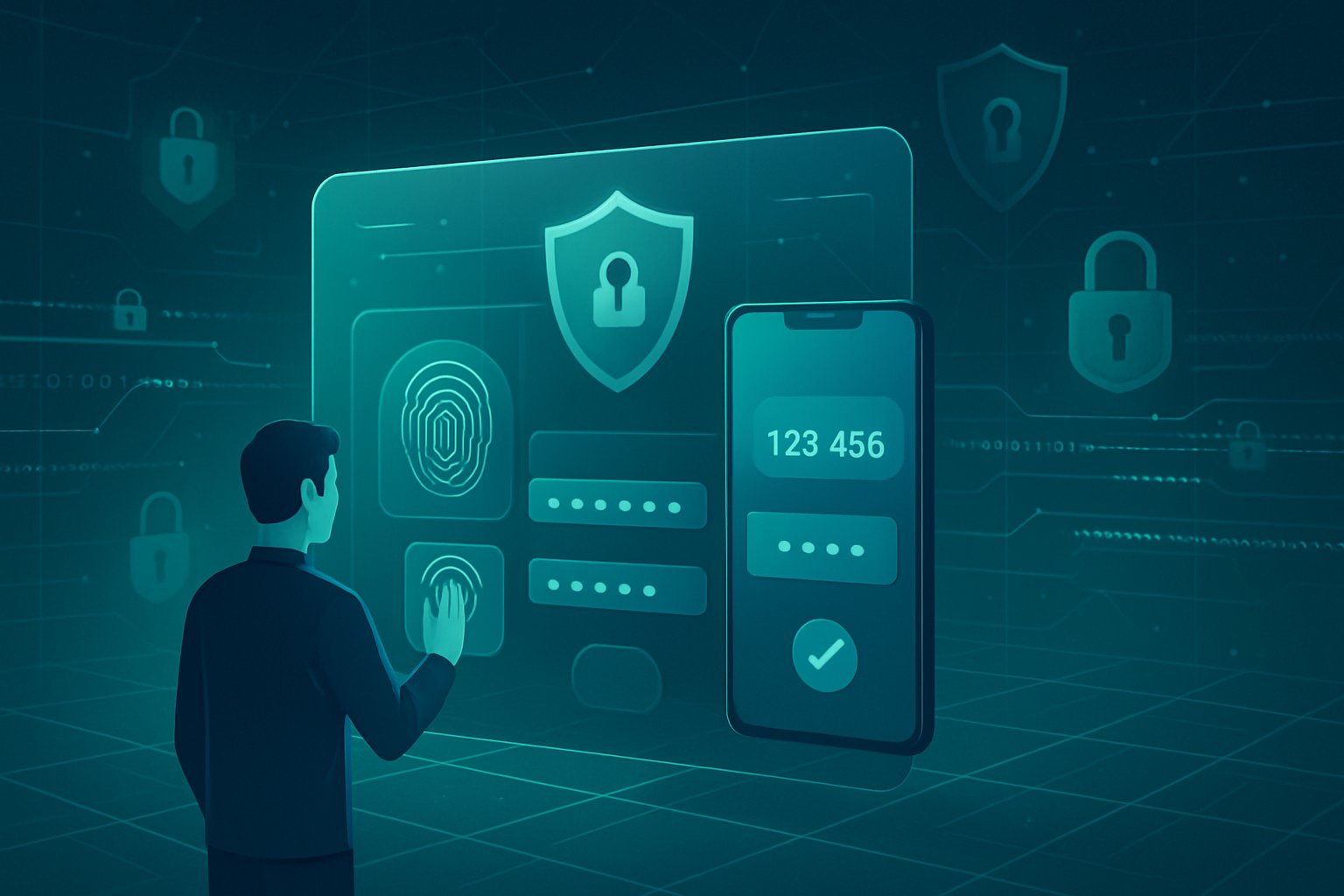
Authentication factors fall into three distinct categories that verify identity through different methods. Something you know includes passwords, PINs, or security questions that rely on memorized information. Something you have encompasses physical devices like smartphones, security tokens, or smart cards that generate time-sensitive codes. Something you are involves biometrics such as fingerprints, facial recognition, or iris scans that use unique biological characteristics.
Each factor operates independently from the others. A password represents knowledge, while a fingerprint scan confirms physical presence. Security systems may also incorporate additional factors like location-based verification or behavioral patterns, though these three primary categories form the foundation of most authentication methods.
The strength of multi-factor authentication lies in requiring credentials from at least two different categories. A system requesting both a password and a security question uses only one factor type, offering minimal protection against credential stuffing attacks where stolen passwords grant immediate access.
The Multi-Layered Approach to Identity Verification
Multi-factor authentication creates multiple barriers between unauthorized users and protected resources. When attackers obtain a password through phishing or data breaches, they still cannot access accounts without the secondary authentication factor. This layered defense addresses the fundamental weakness of single-factor systems where one compromised credential provides complete access.
The approach significantly reduces successful attacks. Stolen passwords become insufficient for entry when biometric verification or device-based codes are required. Each additional layer forces attackers to compromise multiple independent systems simultaneously, a task that proves considerably more difficult than obtaining a single password.
Organizations implement these layers based on risk assessment and user needs. High-security applications may require three or more factors, while standard accounts typically use two-factor verification to balance security with usability.
Authentication Process Step-by-Step
The authentication sequence begins when a user enters their primary credential, typically a password or PIN. The system validates this first factor against stored records. Upon successful verification, the system prompts for the second authentication factor rather than immediately granting access.
The secondary verification varies by implementation. Users might receive a time-sensitive code via SMS or authenticator app, scan their fingerprint on a biometric reader, or insert a physical security key. The system checks this second factor independently from the first credential.
Access is granted only after successful verification of all required factors. If any factor fails validation, the system denies entry regardless of whether previous factors succeeded. This process repeats for each login attempt, maintaining consistent security across all access points.
Types of Multi-Factor Authentication Methods
Organizations and individuals can choose from several authentication methods, each offering distinct security advantages and implementation requirements. These options range from software-based authenticator apps to physical hardware tokens and biometric systems that verify unique physical characteristics.
Authenticator Apps and Push Notifications
Authenticator apps generate time-based one-time passwords (TOTPs) that refresh every 30 seconds, providing a secure alternative to SMS-based codes. Google Authenticator, Microsoft Authenticator, and similar applications store cryptographic keys locally on a mobile device, eliminating reliance on cellular networks or email accounts. Users simply open the app and enter the displayed six-digit code during login.
Push notifications represent an evolution of authenticator apps, sending approval requests directly to a registered mobile device. The user receives a notification asking them to approve or deny the login attempt, often including contextual information like location and device type. This method streamlines the authentication process by removing the need to manually enter codes.
Key advantages:
- No internet required for code generation in most authenticator apps
- Faster authentication with push notifications compared to manual code entry
- Reduced phishing risk since codes expire quickly and cannot be intercepted through traditional means
The primary limitation involves device dependency. If users lose access to their mobile device or it malfunctions, they may face account lockout unless backup recovery methods exist.
SMS-Based Verification and Backup Codes
SMS-based verification sends one-time passwords to a registered phone number via text message. Users enter this code on the login screen to complete authentication. This method remains popular due to its simplicity and near-universal accessibility, as it only requires a basic mobile device capable of receiving text messages.
Backup codes serve as an emergency authentication option when primary methods become unavailable. These pre-generated codes, typically provided in sets of 8-12, allow one-time access to accounts. Users should store backup codes in secure locations separate from their primary devices.
Security concerns with SMS-based codes include SIM swap attacks, where attackers convince mobile carriers to transfer a phone number to a new SIM card. Message interception through SS7 protocol vulnerabilities presents additional risks. Despite these weaknesses, SMS verification provides better protection than password-only authentication.
Backup codes function independently of phones or internet connectivity, making them reliable for account recovery scenarios. Each code works only once and should be replaced after use to maintain security.
Hardware Tokens and Security Keys
Hardware tokens are physical devices that generate or store cryptographic credentials for authentication. These security tokens come in several forms, including USB devices, NFC-enabled cards, and Bluetooth-enabled keys. YubiKey represents one of the most widely adopted hardware security solutions, supporting multiple authentication protocols.
These devices use cryptographic algorithms to prove identity without transmitting passwords over networks. When a user attempts to log in, they insert the hardware token or tap it against their device to complete authentication. The token generates a unique response to each authentication challenge, making it nearly impossible for attackers to replicate.
Hardware token types:
| Type | Connection Method | Primary Use Case |
|---|---|---|
| USB Security Keys | Direct USB connection | Desktop and laptop authentication |
| NFC Tokens | Wireless tap | Mobile device authentication |
| Bluetooth Keys | Wireless pairing | Multi-device environments |
The main drawback involves the physical nature of these devices. Users must carry the hardware token and keep it secure, as loss or theft could potentially grant unauthorized access. However, many implementations require additional authentication factors even with token possession.
Biometric Authentication: Face, Fingerprint, and Retina
Biometric authentication verifies identity through unique physical characteristics that cannot be easily replicated or stolen. Fingerprint scans analyze ridge patterns and minutiae points on fingertips, while facial recognition maps distinctive features of a person’s face. Retina scans examine blood vessel patterns in the eye, offering one of the most secure biometric options.
Modern smartphones and laptops integrate fingerprint sensors and facial recognition cameras, making biometrics convenient for everyday use. These systems convert biometric data into encrypted templates stored locally on devices rather than transmitting raw biometric information over networks.
Biometric method comparison:
- Fingerprint scans: Fast, accurate, widely supported in consumer devices
- Facial recognition: Hands-free operation, effective in various lighting conditions
- Retina scans: Highest security level, typically reserved for high-security environments
Biometric authentication eliminates the need to remember passwords or carry additional devices. However, biometrics cannot be changed if compromised, unlike passwords or hardware tokens. Some systems can be fooled by high-quality photos or artificial replicas, though advanced implementations include liveness detection to prevent such attacks.
Environmental factors affect reliability. Fingerprint sensors may struggle with wet or damaged fingers, while facial recognition can fail in poor lighting or when users wear certain accessories. Organizations deploying biometric authentication should provide alternative methods for scenarios where biometric verification proves impractical.
Advantages of Adopting Multi-Factor Authentication
Multi-factor authentication blocks multiple attack vectors that exploit password vulnerabilities alone. Organizations and individuals gain protection against sophisticated cyber threats while maintaining control over sensitive information through layered verification requirements.
Mitigating Phishing, Brute Force, and Man-in-the-Middle Attacks
Multi-factor authentication neutralizes phishing attacks by rendering stolen credentials useless without the second verification factor. When users fall victim to fraudulent emails or fake login pages, attackers obtain only the password component. The authentication system still blocks access because the attacker lacks the time-based code, biometric data, or physical token required for entry.
Brute force attacks become economically unfeasible with MFA in place. Automated password-guessing tools that cycle through millions of combinations cannot bypass the second authentication layer. Each login attempt requires the additional factor, which resets or changes frequently, making systematic attacks impractical.
Man-in-the-middle attacks lose effectiveness when organizations implement MFA protocols. Even if attackers intercept login credentials during transmission, they face time constraints with one-time codes that expire within 30 to 60 seconds. Hardware tokens and push notifications further reduce interception risks by eliminating code transmission entirely. Biometric authentication adds another barrier since attackers cannot replicate fingerprints or facial features remotely.
Reducing Data Breach and Ransomware Risk
Organizations implementing multi-factor authentication reduce data breach probability by blocking unauthorized account access. Compromised passwords account for over 80% of security incidents, but MFA stops attackers before they reach sensitive systems. The verification requirement creates an immediate roadblock between stolen credentials and protected data.
Ransomware operators frequently gain initial access through credential theft or weak passwords. Multi-factor authentication cuts off this entry point by requiring proof of identity beyond username and password combinations. Attackers who cannot authenticate through legitimate channels must find alternative, more complex attack methods that increase their operational costs and detection risk.
Remote access points become significantly more secure with MFA deployment. Employees working outside office networks access company systems through verified devices and authentication methods. This verification process prevents attackers from exploiting remote work vulnerabilities that might otherwise provide direct paths to corporate networks and data repositories.
Safeguarding Sensitive Digital Assets
Multi-factor authentication protects financial accounts, intellectual property, and personal information through identity verification requirements. Users prevent unauthorized parties from accessing bank accounts, cryptocurrency wallets, and payment systems by adding biometric or token-based authentication. Each access attempt requires physical presence or device possession that remote attackers cannot satisfy.
Data protection extends to cloud storage services, email accounts, and collaboration platforms where sensitive documents reside. Organizations maintain control over proprietary information when employees authenticate through multiple factors before accessing shared drives or confidential files. Role-based access controls combine with MFA to limit who reaches specific digital assets based on verified identity and authorization level.
Healthcare records, legal documents, and personal identification information receive additional security layers through authentication protocols. Regulatory compliance requirements in industries like finance and healthcare mandate strong authentication methods. Multi-factor authentication satisfies these requirements while protecting individuals from identity theft and fraud that result from compromised credentials.
Implementing Multi-Factor Authentication Strategies
Successful MFA implementation requires a structured security framework, careful rollout planning, and comprehensive user education. Organizations must balance security requirements with usability while establishing policies that protect critical systems and data.
Establishing a Security Framework
Organizations should begin by conducting a thorough security assessment to identify which systems, applications, and accounts require MFA protection. Administrative accounts, financial platforms, and systems containing sensitive data demand immediate attention. The security framework should define authentication methods based on risk levels, with hardware tokens or biometric options for high-risk accounts and authenticator apps for standard access.
The framework must specify password requirements alongside MFA. Complex passwords with minimum length requirements, character variety, and regular rotation schedules create a foundation that MFA strengthens. A password manager helps users maintain unique credentials across platforms without compromising security.
Organizations need clear policies for backup codes and account recovery procedures. Users should generate and securely store backup codes during initial setup to prevent lockouts. The security posture improves when frameworks include monitoring protocols that track authentication attempts, flag suspicious activity, and trigger alerts for potential breaches.
Best Practices for MFA Rollout
A phased rollout minimizes disruption and allows organizations to refine their security strategy before full deployment. IT departments and administrative teams should implement MFA first, as these users handle sensitive systems and can provide valuable feedback. This approach identifies technical issues and workflow challenges early.
Organizations should avoid SMS-based authentication as the sole verification method due to SIM-swapping vulnerabilities. Authenticator apps, biometric verification, or hardware security keys provide stronger protection. Many MFA solutions offer adaptive authentication that adjusts security requirements based on login location, device type, or user behavior patterns.
Testing must occur before organization-wide deployment. Pilot programs with select user groups reveal compatibility issues with existing infrastructure and help teams develop troubleshooting procedures. Organizations should establish support channels where users can quickly resolve authentication problems without compromising security protocols.
Educating and Onboarding Users
User education determines whether MFA implementation succeeds or fails. Training sessions should explain why passwords alone cannot protect accounts and how each authentication factor adds security layers. Employees need practical demonstrations showing how to enable MFA, use authenticator apps, and access backup codes.
Documentation must include step-by-step guides with screenshots for each supported authentication method. Users should understand the risks of phishing attacks that attempt to steal authentication codes and learn to recognize suspicious login requests.
Ongoing support proves essential as users encounter different scenarios requiring authentication. Help desk teams need comprehensive training to resolve MFA issues without bypassing security measures. Regular refresher sessions keep security awareness high and introduce users to new authentication options as MFA solutions evolve.
Meeting Compliance and Regulatory Requirements
Organizations face strict authentication mandates across financial, healthcare, and data protection regulations that require MFA implementation. Cloud environments and VPN access points demand enhanced verification protocols, while emerging quantum computing threats necessitate forward-thinking authentication strategies.
Industry-Specific Mandates and Standards
PCI DSS Level 1 requires MFA for all non-console access into the Cardholder Data Environment, particularly under Requirement 8.3. Organizations processing over six million card transactions annually must implement multi-factor authentication for personnel with administrative access to prevent unauthorized entry into payment systems.
HIPAA regulations mandate MFA for healthcare entities accessing electronic protected health information remotely. Medical providers must implement at least two authentication factors when staff members access patient records from external networks or unsecured locations.
GDPR doesn’t explicitly mandate MFA but requires appropriate technical measures to protect personal data. Organizations processing EU citizen data typically implement MFA to demonstrate compliance with security requirements and avoid penalties reaching up to 4% of global annual revenue.
ISO 27001 addresses MFA under controls A.9.4.2 and A.9.4.4, emphasizing authentication for privileged utility programs and secure management of authentication information. SOC 2 framework incorporates MFA requirements through criteria CC6.1 and CC6.2, focusing on logical access controls and entity authentication for remote access scenarios.
MFA for Cloud Services and VPN Access
Cloud platforms require MFA for administrative consoles and privileged accounts accessing infrastructure management tools. Organizations should enable MFA for AWS root accounts, Azure subscriptions, and Google Cloud Platform projects before granting any user permissions.
VPN connections create direct pathways into internal networks and represent high-risk access points. Network administrators must configure VPN gateways to reject connections lacking secondary authentication factors beyond username and password combinations.
Critical cloud access points requiring MFA:
- Administrative dashboards and control panels
- API access tokens and service accounts
- Database management interfaces
- File storage and backup systems
- Identity and access management consoles
Remote workers accessing corporate resources through VPN tunnels should authenticate using hardware tokens or authenticator applications rather than SMS codes, which remain vulnerable to SIM swapping attacks.
Handling Quantum Computing Threats in Authentication
Quantum computers threaten current cryptographic algorithms protecting authentication tokens and session keys. Organizations must prepare for post-quantum cryptography by implementing authentication systems capable of algorithm updates without complete infrastructure replacement.
NIST has standardized quantum-resistant algorithms including CRYSTALS-Kyber for key encapsulation and CRYSTALS-Dilithium for digital signatures. Authentication systems should begin transitioning to these algorithms while maintaining backward compatibility with existing security protocols.
Biometric authentication methods using physical characteristics offer quantum-resistant properties since they don’t rely solely on mathematical problems quantum computers can solve. Organizations should expand biometric options including fingerprint scanning, facial recognition, and voice authentication as primary or secondary factors.
Hardware security keys supporting FIDO2 standards provide quantum-resistant authentication through public-key cryptography that can adapt to new algorithms. These physical tokens generate unique credentials for each login attempt without transmitting secrets vulnerable to quantum decryption.