Mechanical keyboards represent a significant upgrade over standard membrane keyboards, offering tangible improvements in typing speed, accuracy, and comfort during extended use. By choosing switches that align with personal preferences and customizing key layouts, users can achieve faster response times, enhanced precision, and reduced finger fatigue across gaming, writing, and professional tasks. The difference becomes apparent within days of switching, as the tactile feedback and consistent actuation points create a more responsive typing experience.
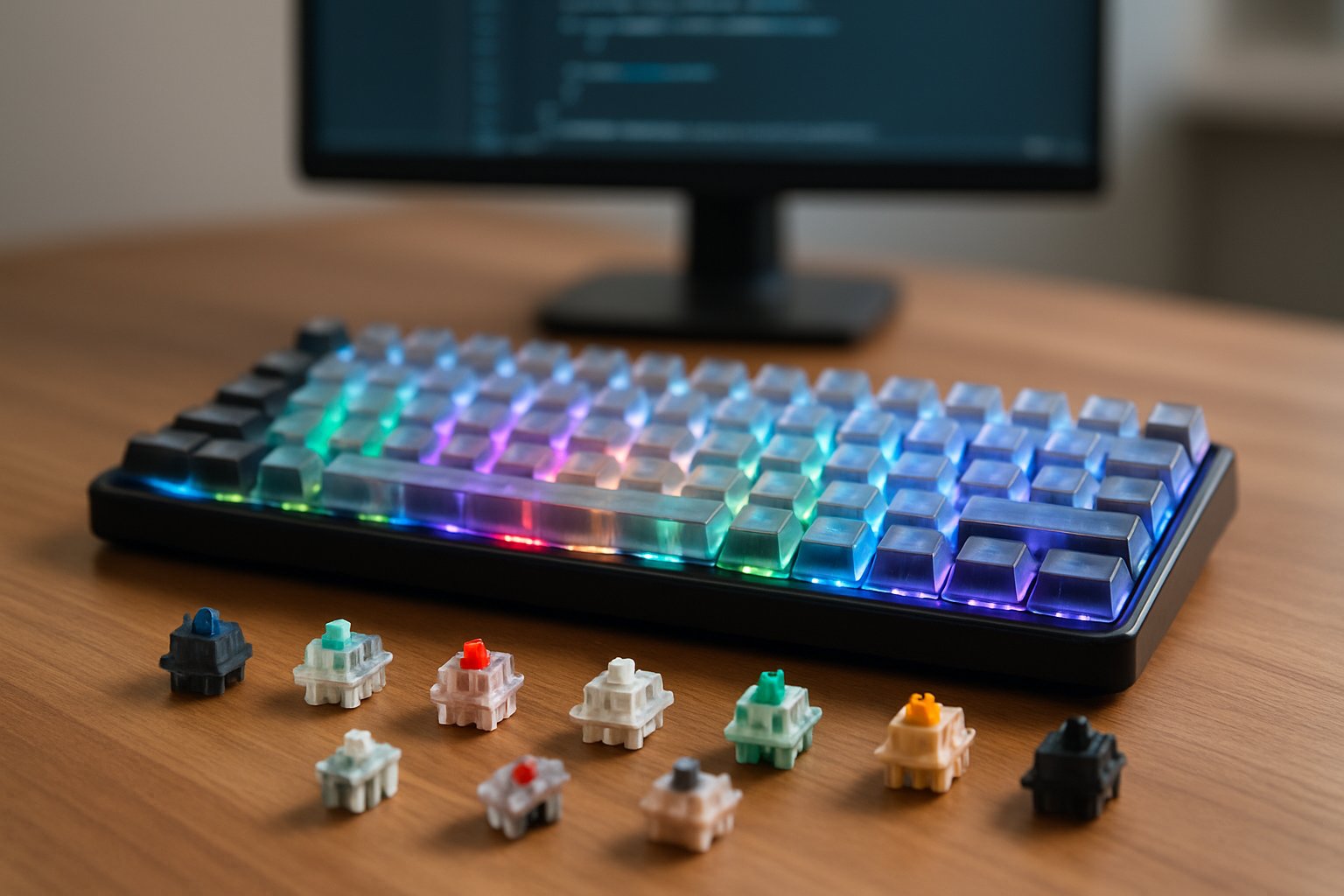
The transformation extends beyond simple key presses. Different switch types cater to specific needs, from silent linear switches for office environments to clicky tactile options for writers who appreciate audible feedback. Customization options allow users to adjust everything from actuation force to key travel distance, creating a personalized input device that matches their exact requirements.
Standard keyboards often force users to adapt to their limitations, leading to inefficient workflows and potential strain during long sessions. Mechanical keyboards flip this dynamic by adapting to the user instead. The investment in quality switches, proper keycaps, and ergonomic layouts pays dividends through improved performance and comfort that lasts for years.
Key Takeaways
- Mechanical keyboards provide superior tactile feedback and durability compared to membrane alternatives
- Switch selection and customization options allow users to tailor typing feel and performance to their specific needs
- Quality construction and ergonomic features reduce physical strain while improving speed and accuracy
Why Switch to Mechanical Keyboards?
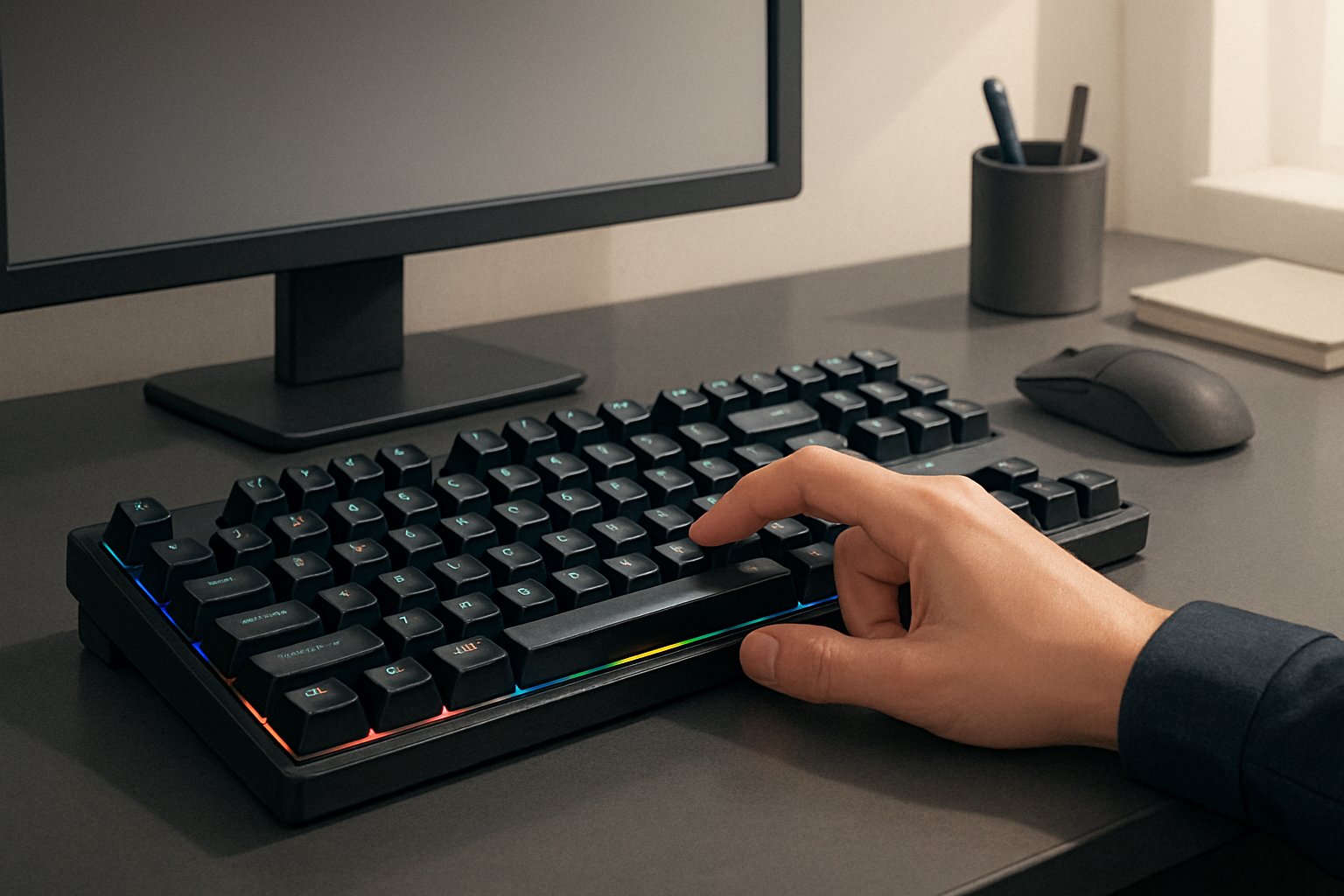
Mechanical keyboards deliver tangible improvements in typing comfort, response time, and long-term durability that membrane keyboards simply cannot match. The difference stems from individual mechanical switches under each key, which provide consistent actuation points and tactile feedback.
Key Benefits Over Membrane Keyboards
Mechanical keyboards use individual switches for each key, while membrane keyboards rely on a rubber dome layer beneath all keys. This fundamental design difference creates a superior typing experience.
Each mechanical switch is rated for 50 to 100 million keystrokes compared to the 5 to 10 million typical of membrane keyboards. This extended durability means years of reliable performance without degradation in key response.
The modular nature of mechanical keyboards allows users to replace individual switches or components rather than discarding the entire unit. A faulty key on a membrane keyboard often requires replacing the whole board, while mechanical keyboards support targeted repairs.
Key advantages include:
- Precise actuation points that eliminate guesswork during typing
- Consistent key travel across all switches
- Switch variety including tactile, linear, and clicky options
- Customizable sound profiles through switch selection and dampening modifications
Membrane keyboards force users to press keys fully to the bottom, creating unnecessary impact. Mechanical switches register input at a specific actuation point, typically 2mm into the 4mm total travel distance.
How Mechanical Keyboards Reduce Typing Fatigue
Membrane keyboards require more force throughout the entire keystroke because of their squishy rubber dome design. This constant bottoming out creates repetitive stress on fingers, wrists, and hands during extended typing sessions.
Mechanical switches activate at predetermined actuation points without requiring full key depression. Users develop muscle memory for this precise activation distance, reducing unnecessary motion and impact force. Linear switches require as little as 45 grams of actuation force, while membrane keyboards often need 60 to 80 grams pressed through the entire travel distance.
The distinct feedback from tactile and clicky switches confirms key registration without visual verification. This sensory confirmation reduces the tendency to strike keys harder than necessary, a common habit with membrane keyboards that compounds finger fatigue.
Lighter switch options specifically address typing comfort during marathon work sessions. The reduced resistance preserves energy in finger muscles and minimizes cumulative strain across thousands of daily keystrokes.
Impact on Typing Speed and Accuracy
The consistent actuation point of mechanical switches trains fingers to apply precise pressure levels. This muscle memory development translates directly into improved typing accuracy as users stop second-guessing whether keys registered.
Fast typing becomes more achievable when each keystroke provides immediate tactile or auditory confirmation. Typists maintain rhythm without glancing at the screen to verify input, keeping focus on source material or thoughts rather than the typing process itself.
Performance improvements:
| Metric | Membrane Keyboard | Mechanical Keyboard |
|---|---|---|
| Actuation Distance | Full travel required | 2mm typical |
| Force Consistency | Degrades over time | Remains constant |
| Key Registration | Mushy, uncertain | Precise, definitive |
The elimination of accidental key presses comes from defined actuation requirements. Membrane keyboards register inputs inconsistently as the rubber dome wears, while mechanical switches maintain their specifications throughout their lifespan. This reliability supports both speed and accuracy for professionals who depend on error-free input.
Choosing the Right Switch Type
Mechanical switches fall into three primary categories based on their behavior: linear switches deliver smooth keystrokes without bumps, tactile switches provide physical feedback at the actuation point, and clicky switches combine that tactile bump with an audible click.
Linear Switches: Smooth and Consistent
Linear switches operate without any tactile bump or audible click throughout the entire keystroke. The key travels straight down with consistent resistance from top to bottom, creating a fluid typing experience that many gamers prefer for rapid key presses.
Cherry MX Red switches represent the most popular linear option, requiring 45 grams of actuation force and bottoming out smoothly. These switches excel in gaming scenarios where speed matters more than tactile confirmation. Cherry MX Black switches offer a heavier 60-gram actuation force for users who type with more pressure.
Gateron switches provide alternatives to Cherry options, often at lower price points. Pre-lubed linear switches from manufacturers like Gateron reduce friction further, resulting in quieter operation and smoother travel. The reduced noise output makes linear switches suitable for shared workspaces where keyboard sounds might disturb others.
Speed-focused linear switches feature shorter actuation points, typically around 1.2mm compared to the standard 2mm. This design allows faster reaction times in competitive gaming but may increase accidental key presses during regular typing.
Tactile Switches: Feedback for Precision
Tactile switches include a noticeable bump at the actuation point without producing the loud click of their clicky counterparts. This physical feedback confirms key registration through touch rather than sound, balancing typing accuracy with reasonable noise levels.
Cherry MX Brown switches dominate the tactile category with their moderate 45-gram actuation force and gentle bump. The design works well for both typing and gaming, making Brown switches the most versatile choice for users who switch between different tasks. TTC Brown switches offer similar characteristics with smoother travel and reduced wobble.
The tactile bump helps typists develop muscle memory for the exact point where keys register. This feedback mechanism reduces the tendency to bottom out keys completely, which decreases finger fatigue during extended typing sessions. Office workers benefit from this balance between feedback and relatively quiet operation.
Some tactile switches feature more pronounced bumps than others. Stronger tactile feedback suits touch typists who rely heavily on physical confirmation, while lighter bumps appeal to users transitioning from membrane keyboards.
Clicky Switches: Auditory and Tactile Response
Clicky switches combine tactile feedback with a distinct audible click at the actuation point. The mechanism produces both a physical bump and sharp sound that confirms each keystroke through two senses simultaneously.
Blue switches represent the classic clicky experience, delivering pronounced tactile and audio feedback that many typists find satisfying. Cherry MX Blue switches require 50 grams of actuation force and create the signature clicking sound that defines mechanical keyboards for many users. The audio feedback reinforces typing rhythm and helps prevent missed keystrokes.
The loudness of clicky switches makes them unsuitable for quiet environments or shared workspaces. Colleagues and family members often find the constant clicking distracting during long typing sessions. However, home users and enthusiasts who value the typewriter-like experience often prefer clicky switches despite the noise.
The distinct click occurs at the actuation point rather than the bottom of the keystroke. This design teaches users to type with lighter pressure since they receive confirmation before fully depressing keys.
How Actuation Force Affects Typing
Actuation force measures the pressure required to register a keystroke, typically ranging from 35 to 80 grams across different switch types. This specification directly impacts typing speed, accuracy, and fatigue levels during extended use.
Light switches (35-45 grams) enable faster typing speeds and require less finger effort, reducing strain during marathon typing sessions. However, these switches increase the risk of accidental key presses when resting fingers on the home row. Users who type with a light touch benefit most from lower actuation forces.
Heavy switches (60-80 grams) prevent accidental keystrokes and suit users who type with significant finger pressure. The increased resistance provides more control for deliberate typing but causes faster fatigue during long sessions. Cherry MX Black switches at 60 grams exemplify this heavier category.
Medium actuation forces (45-55 grams) strike a balance between speed and control. Most mainstream mechanical switches fall into this range, making them accessible for users transitioning from membrane keyboards. Testing different actuation forces through switch testers helps identify the ideal resistance level before purchasing a full keyboard.
Essential Customization Options for Personalization
Mechanical keyboard personalization centers on three fundamental areas: switch flexibility through hot-swappable technology, layout optimization for space efficiency, and programmable functionality for workflow automation.
Hot-Swappable and Swappable Switches
Hot-swappable keyboards revolutionize customization by allowing users to change mechanical switches without soldering equipment. A hot-swappable PCB features sockets that securely hold switches while enabling tool-free removal and replacement. Users can test different switch types—linear, tactile, or clicky—to find their preferred typing feel within minutes.
Hot-swappable switches extend keyboard lifespan significantly. When a single switch fails, users replace only that component rather than the entire board. This approach reduces electronic waste and saves money over time.
The flexibility of swappable switches appeals to users who type and game on the same device. Someone might install lighter linear switches for gaming sessions, then swap to heavier tactile switches for typing work. This adaptability transforms a single custom keyboard into multiple specialized tools.
Most hot-swappable keyboards support three-pin and five-pin switch designs. The PCB socket design determines compatibility, so users should verify specifications before purchasing customizable switches.
Custom Key Layouts and Compact Designs
Compact layouts optimize desk space without sacrificing functionality. The 87-key layout removes the number pad while retaining arrow keys and navigation clusters. A 96% layout condenses the full-size keyboard footprint by eliminating gaps between key groups, keeping all keys accessible.
The compact 96% layout delivers particular value for users who need number pad functionality but work with limited desk space. These keyboard layouts maintain every key from full-size boards while reducing width by approximately 30%.
Smaller formats like 60% and 65% designs remove function rows and navigation clusters entirely. Users access these functions through layer-based key combinations. This approach requires adaptation but rewards users with exceptional portability and ergonomic benefits from reduced hand movement.
Layout selection should align with specific use cases. Accountants and data entry professionals benefit from number pad retention, while programmers often prefer compact layouts that position the mouse closer for reduced shoulder strain.
Programmable Keys and Macro Editing
Programmable keys transform repetitive tasks into single keystrokes. Users assign complex command sequences, application launches, or text strings to individual keys. This customizable feature eliminates thousands of redundant keystrokes over months of use.
QMK firmware provides advanced programming capabilities for compatible keyboards. The open-source platform enables layer creation, where a single key performs different functions based on active layers. Users can program entire workflows accessible through simple key combinations.
Macro editing software varies by manufacturer, but most interfaces share common principles. Users record keystroke sequences, assign them to specific keys, and adjust timing between actions. Gaming-focused implementations often include conditional logic for more sophisticated automation.
Professional applications benefit substantially from macro editing. Video editors can program rendering commands, graphic designers can automate filter sequences, and writers can insert frequently used phrases. The time savings accumulate significantly across extended work sessions.
Keycaps, Materials, and Build Quality
Keycap selection and frame construction directly impact typing comfort, acoustics, and long-term durability. Material choices affect texture, sound profile, and wear resistance, while frame design influences stability and noise dampening.
Selecting Durable and Comfortable Keycaps
PBT keycaps resist shine and wear better than ABS alternatives. The material maintains its textured surface through years of heavy use, making durable PBT keycaps the preferred choice for high-volume typists and gamers.
Keycap material also determines typing feel. PBT offers a slightly grainy texture that some users find more satisfying, while ABS provides a smoother surface. Double-shot manufacturing creates legends that never fade because they’re molded through the entire keycap depth. Dye-sublimation works well for PBT, producing permanent graphics without the shine concerns of pad-printed or laser-etched options.
Profile selection affects finger positioning and travel distance. Sculpted profiles like Cherry or MT3 provide ergonomic angles across rows. Uniform profiles like DSA maintain consistent height, which benefits custom layouts and ortholinear boards.
Materials That Influence Sound and Feel
Keycap thickness and density alter acoustic properties. Thicker PBT produces a deeper, more muted sound compared to thinner ABS, which creates higher-pitched clacks. The same switch can sound completely different depending on keycap material.
Sound-dampening foam inside the case reduces hollowness and ping. Multiple foam layers between the PCB and bottom case eliminate unwanted resonance. Case fill materials absorb vibrations that would otherwise amplify through empty spaces.
A gasket-mounted design uses rubber strips to isolate the plate from the case, creating flex and reducing harsh bottoming sounds. This mounting style produces a softer, more cushioned typing experience compared to tray-mount or top-mount configurations.
Premium Build and Frame Designs
Aluminum frames provide rigidity and stability absent in plastic housings. An aluminum top plate specifically prevents flex during aggressive typing, maintaining consistent switch activation. Aluminum-magnesium alloy constructions offer similar strength at reduced weight.
Build quality extends beyond material selection. Tight tolerances prevent rattle and wobble. Properly tuned stabilizers eliminate wire tick and key shake on larger keys like spacebar and shift.
Premium keyboards incorporate multiple build quality elements: CNC-machined cases with anodized finishes, brass or polycarbonate plates for sound tuning, and silicone dampening between layers. These components work together to create a solid, refined typing experience that budget boards cannot match.
Connectivity, Lighting, and Modern Features
Modern mechanical keyboards offer multiple connection methods, extensive lighting customization, and advanced control features that extend beyond basic typing functions. These additions enhance usability across different environments and workflows.
Wired, Wireless, and Tri-Mode Connectivity
Connection options have expanded significantly in 2025. Wireless mechanical keyboards now support Bluetooth 5.0 and Bluetooth 5.1 for stable connections to laptops, tablets, and smartphones. 2.4GHz wireless provides lower latency for gaming applications where response time matters.
Tri-mode connectivity combines Bluetooth, 2.4GHz wireless, and USB-C connectivity in a single device. This allows users to switch between three to five paired devices instantly. USB-C connectivity serves dual purposes as a charging port and wired connection option.
Battery capacity affects wireless functionality. A 4000mAh battery typically provides two to three weeks of use with moderate backlighting settings. Wireless keyboards maintain performance comparable to wired models when using 2.4GHz connections.
Customizable RGB Lighting and Backlighting
RGB lighting serves practical and aesthetic purposes. Per-key RGB lighting illuminates individual keys with 16.8 million color options through customization software. This enables users to highlight specific key groups for different applications or games.
Customizable RGB backlighting improves visibility in low-light conditions. Users adjust brightness levels, create custom color profiles, and set animated lighting effects. 11 programmable backlit modes offer preset patterns that cycle through various colors and effects.
Keycap material impacts lighting visibility. Shine-through keycaps display RGB effects clearly, while double-shot PBT keycaps may reduce brightness. Some keyboards include white LED backlighting as a simpler alternative to full RGB systems.
Smart Displays, Multimedia, and Advanced Controls
Smart display features add functionality through small screens integrated into the keyboard. These displays show battery status, connection mode, GIFs, and system information. Users customize displayed content through companion software.
Multimedia shortcuts provide dedicated controls for volume adjustment, playback, and track navigation. Function keys activate media controls without interrupting active applications. Multi-function control knobs offer tactile adjustment for volume and lighting settings.
Advanced controls include mode switching between gaming and office profiles. These profiles adjust lighting, key response, and macro settings automatically. Onboard storage saves up to 50 profiles for different games or applications.
Selecting Top Brands and Notable Models
The mechanical keyboard market features established manufacturers and emerging brands that cater to different user needs. Understanding which brands deliver consistent quality and which models excel in specific use cases helps buyers make informed decisions based on their typing requirements, budget constraints, and feature preferences.
Leading Manufacturers in the Mechanical Keyboard Market
Corsair maintains a strong position in the gaming peripheral market with keyboards featuring aluminum construction and Cherry MX switches. Their K100 RGB and K70 RGB MK.2 models offer AXON Hyper-Processing technology for reduced input latency.
Logitech produces reliable keyboards through their G series line. The Logitech G413 SE includes PBT keycaps and tactile mechanical switches with 6-key rollover anti-ghosting performance. Their G Pro X features modular switches for user customization.
Keychron has gained recognition for cross-platform compatibility, particularly with Mac systems. The Keychron K2 offers wireless connectivity via Bluetooth alongside wired options. Their Q1 model provides hot-swappable switch sockets for easy customization.
Razer specializes in gaming-focused keyboards with proprietary opto-mechanical switches. Their BlackWidow V4 Pro and Huntsman Elite models feature customizable RGB lighting through Razer Chroma software.
SteelSeries offers keyboards with adjustable actuation points through OmniPoint switches in their Apex Pro model. This technology allows users to set trigger distances between 0.4mm and 3.6mm per key.
Popular Models for Typing, Gaming, and Professionals
For gaming performance, the Redragon mechanical gaming keyboard series provides budget-friendly options. The Redragon K668 features hot-swappable switches and programmable RGB backlighting with 11 lighting modes.
The AULA F99 and AULA F75 Pro represent versatile tri-mode keyboards supporting Bluetooth 5.0, 2.4GHz wireless, and USB-C wired connections. The AULA F75 Pro wireless includes a 4000mAh battery, pre-lubricated stabilizers, and LEOBOG switches for reduced noise.
The RK Royal Kludge S98 serves users needing full-size layouts with wireless capability. These keyboards typically include hot-swap PCBs for switch replacement without soldering.
Typing-focused models like Ducky One 3 use PBT keycaps for durability and textured feel. Varmilo keyboards offer custom colorways and Cherry MX switch options for professional typists.
Gaming keyboards prioritize features like N-key rollover, dedicated macro keys, and rapid actuation. Models with optical switches reduce latency to 0.2ms compared to traditional mechanical switches at 1-5ms.
Key Features to Evaluate Before Buying
Switch type determines typing feel and sound. Linear switches (Red) require 45g actuation force with smooth travel. Tactile switches (Brown) provide bump feedback at 55g. Clicky switches (Blue) produce audible clicks at 60g.
Build quality affects longevity and stability. Aluminum frames prevent flex during aggressive typing. PBT keycaps resist shine wear better than ABS plastic alternatives.
Connectivity options include wired USB-C for zero latency, 2.4GHz wireless for stable connection, and Bluetooth 5.0 for multi-device pairing. Battery capacity between 3000-4000mAh provides 40-80 hours of wireless use.
Programmability through software or onboard memory enables macro recording, key remapping, and profile switching. Hot-swappable PCBs allow switch replacement without technical expertise.
Layout size impacts desk space and functionality. Full-size (104 keys) includes numpad. TKL removes numpad for 80% footprint. 75% layouts retain arrow keys while minimizing width. 60% designs eliminate function row and navigation cluster.
Price ranges span $30-$250 depending on construction materials, switch quality, and feature set. Entry-level mechanical gaming keyboards start at $40-$60 with basic RGB and membrane-quality switches. Premium models exceed $150 with hot-swap capability and aircraft-grade aluminum cases.
Ergonomics and Accessories for Optimal Comfort
Mechanical keyboards require proper ergonomic support and accessories to maximize comfort during extended typing sessions. Wrist rests and specialized designs reduce strain, while accessories like dampeners and alternative keycaps improve both the typing feel and acoustic experience.
Wrist Rests, Padding, and Ergonomic Designs
A quality wrist rest provides essential support during long typing sessions by maintaining neutral wrist alignment. Padded wrist rests reduce pressure on the median nerve and prevent strain that leads to repetitive stress injuries. Memory foam options conform to individual hand shapes, while gel-filled versions offer cooling properties that some users prefer.
Magnetic wrist rests attach directly to compatible keyboards, preventing unwanted movement during intense typing or gaming sessions. These accessories stay firmly in place without adhesives that might damage desk surfaces or keyboard frames.
Ergonomic keyboard designs incorporate split layouts and curved keyframes that position hands at natural angles. The Logitech Ergo K860 features a split design certified by US Ergonomics, reducing wrist bending by 25% compared to standard keyboards. Adjustable tenting angles allow users to customize the keyboard slope, with options ranging from flat positioning to 10-degree tilts.
Split mechanical keyboards let users position each half independently, accommodating different shoulder widths and desk configurations. Compact 60% to 75% layouts bring the mouse closer to the keyboard, reducing arm extension and shoulder strain during workflow transitions.
Accessories to Enhance Typing Experience
Replacement keycaps improve both aesthetics and functionality of mechanical keyboards. Double-shot PBT keycaps resist shine and wear better than standard ABS plastic, maintaining their texture through millions of keystrokes. Different profiles like SA, Cherry, and OEM alter typing angles and finger travel distance.
Hot-swappable switches allow users to change switch types without soldering, enabling experimentation with different tactile feels and actuation forces. This flexibility helps users find switches that reduce finger fatigue during extended typing sessions.
O-rings installed beneath keycaps cushion the bottoming-out impact, reducing both noise levels and finger strain. These rubber dampeners come in different thicknesses that affect key travel distance and typing feel.
Programmable layers through QMK or VIA firmware place frequently used keys closer to home row positions. Custom macros automate repetitive keystroke sequences, reducing finger movement and increasing efficiency. N-key rollover and anti-ghosting technologies ensure accurate input registration during fast typing or complex key combinations, preventing missed inputs that force retyping.
Noise Management for Various Environments
Mechanical keyboards produce distinct sound profiles that vary by switch type and construction. Linear switches like Cherry MX Reds operate quietly, while clicky switches like Cherry MX Blues generate audible feedback that may disturb shared workspaces.
Sound dampening modifications reduce noise levels without sacrificing tactile response. Foam installed inside the keyboard case absorbs hollow sounds and ping noises from stabilizers. Silicone pads placed between the PCB and plate eliminate rattling vibrations.
Lubricated switches and stabilizers significantly decrease scratchy sounds and rattle from larger keys. Factory-lubed switches offer convenience, while manual lubrication provides precise control over sound characteristics.
Desk mats made from thick neoprene or foam absorb typing vibrations before they resonate through desk surfaces. These mats reduce ambient noise by 10-15 decibels in typical office environments. Quieter switches combined with dampening accessories make mechanical keyboards viable for libraries, open offices, and late-night sessions without disturbing others.
Extra keycaps in different materials affect sound output—thicker PBT plastic produces deeper, more muted tones compared to thinner ABS alternatives.